
Tailwind CSS Templates: 9 Picks, Plus How to Customize and Rebuild Them
By Manob Editorial · · Updated
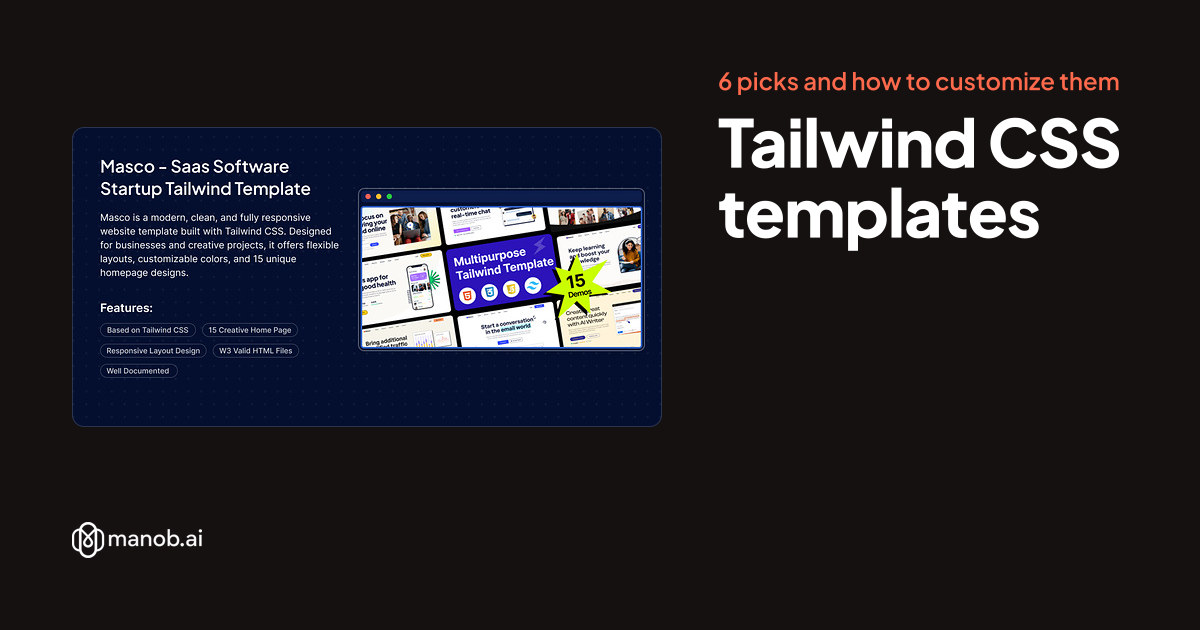
A Tailwind CSS template is a finished website styled with Tailwind's utility classes. You restyle it by changing classes in the HTML and colors and fonts in its theme, then rebuilding the CSS. Tailwind templates are still a small shelf on Manob: five HTML templates cover SaaS, agency, business, insurance and esports sites, and we add four Next.js picks.
What is a Tailwind CSS template?
Tailwind CSS is a utility-first framework: the styling sits in the HTML as small classes such as px-6, text-white and md:grid-cols-3. A Tailwind template is a set of pages built that way, usually with a few JavaScript plugins for sliders and menus.
Tailwind scans your files for class names and writes CSS only for the ones it finds, so a template's compiled stylesheet holds only the classes it already uses. Add a new one, such as bg-red-600, and nothing changes until you rebuild. That's why the source matters: the Tailwind config, the input CSS file and a package.json with the build scripts. If a listing doesn't mention them, ask the seller before you buy.
Tailwind v3 or v4?
Version 4 moved the settings. A v3 project keeps them in tailwind.config.js and loads Tailwind with three @tailwind directives. A v4 project uses @import "tailwindcss"; and an @theme block in the CSS file. Palaiche's listing names v3.4+, MYKD's v3.3, Insucom's and Trendexa's v3, and Tripura's Tailwind CSS 4. For the others, open the demo's main stylesheet: Tailwind's output usually starts with a comment such as tailwindcss v3.4.1 | MIT License.
Tailwind HTML templates
Of more than 600 live products, only five static HTML templates are built on Tailwind CSS, and the four Next.js picks below use it for styling. Bootstrap templates far outnumber them, and our Bootstrap 5 templates roundup covers that side.
| Template | Type | Built with | Price from | Live demo |
|---|---|---|---|---|
| Masco - Saas Software Startup Tailwind Template | HTML template | Tailwind CSS | $25 | Demo |
| Aximo - Creative Agency Tailwind Template | HTML template | Tailwind CSS | $25 | Demo |
| Palaiche - Multipurpose Business Agency Html Tailwind CSS Template | HTML template | Tailwind CSS | $19 | Demo |
| Insucom - Insurance Company TailwindCSS Template | HTML template | Tailwind CSS | $21 | Demo |
| MYKD - Tailwind eSports and Gaming NFT Template | HTML template | Tailwind CSS | $21 | Demo |
| Tripura — Travel and Tour Booking Next.js Template | React template | Next.js, React | $29 | Demo |
| Trendexa — Modern Next js News and Product Review Template | Template | Tailwind CSS, Next.js, React | $45 | Demo |
| Frame and Light - Photography Studio and Portfolio Next.js Template | React template | Tailwind CSS, Next.js, React | $34 | Demo |
| Parody - Digital Agency Portfolio React Next js Template | React template | Next.js, React | $20 | Demo |
Masco: best for a SaaS or software startup site
Masco is filed under software company templates and has 15 homepage designs, the most of any pick here. Our app landing page templates roundup covers what its homepages are written for.

Masco - Saas Software Startup Tailwind Template is a responsive HTML website template built with Tailwind CSS for SaaS products, software startups, agencies and business sites.…
Aximo: best for a creative or digital agency
Aximo is written for digital and corporate agencies, software businesses and startups. It has 9 homepages, 9 header styles and blog pages, with Swiper sliders and an Fslightbox lightbox. Demo images aren't in the download.

Aximo - Creative Agency Tailwind Template is an HTML template built with Tailwind CSS for digital, creative and corporate agencies, software businesses and startups. It has 9 ho…
Palaiche: best for a developer who wants the whole build setup
Palaiche's listing spells out its toolchain: Tailwind CSS v3.4+ with Gulp, Sass, PostCSS, BrowserSync and Nunjucks, a templating engine that lets shared parts such as the header live in one file. It has 2 homepages and 32+ inner pages, including services, portfolio, team and blog pages. Demo images aren't included.

Palaiche is a modern multipurpose HTML template built with Tailwind CSS. Perfect for agencies and businesses with responsive design, 35+ pages, and clean, customizable layouts.
Insucom: best for an insurance agency or broker
Insucom is built with Tailwind CSS v3 for insurance companies, agents and brokers covering car, health, life and home insurance. It has 2 homepages and 15+ HTML files, including services, project and blog pages. Demo images aren't in the download. Our insurance WordPress themes roundup covers its WordPress build.

Insucom - Insurance Company TailwindCSS Template is a responsive HTML template built with TailwindCSS v3 for insurance agencies, brokers and finance businesses, with two homepag…
MYKD: best for an esports team or gaming tournament site
This build of MYKD uses Tailwind CSS v3.3 with jQuery and is written for esports teams, tournaments, gaming magazines and NFT gaming projects. Its 13+ HTML pages include 2+ homepages and tournament, player and blog pages. Demo images aren't included. Our esports website templates roundup covers its React and WordPress builds.

MYKD - Tailwind eSports and Gaming NFT Template is a responsive HTML template built with Tailwind CSS v3.3 for gaming websites, esports teams, tournaments, gaming magazines and…
Next.js templates styled with Tailwind
If your team works in React, these four Next.js templates use Tailwind and need Node.js to build. Our React templates roundup covers three of them.
Tripura: best for a travel or tour site on Tailwind CSS 4
Tripura pairs Tailwind CSS 4 with Next.js 16, React 19, TypeScript and the App Router. It has two homepages, destination pages, tours in grid and list views with tour details, and news and contact pages.

Tripura — Travel and Tour Booking Next.js Template is a Next.js, React, and TypeScript site template for travel agencies, tour operators, destination portals, and booking startu…
Trendexa: best for a tech news or review site
Trendexa combines Tailwind CSS v3 and shadcn/ui with Next.js 14 and TypeScript, and exports to static HTML. Its 20+ pages cover product listings, reviews, news, how-to guides and brand directories, plus a side-by-side comparison tool.

Trendexa — Modern Next js News and Product Review Template is a Next.js 14 and TypeScript template for tech gadget news, review and comparison sites, with 20+ pre-built pages, a…
Frame and Light: best for a Tailwind blog or portfolio you'll keep adding to
Frame and Light keeps its content in markdown files, so you can update posts and portfolio items without reworking the site's structure. It has blog listing, detail, category and tag pages, portfolio pages and a contact page with a map embed. Its listing names photography studios, freelancers and visual agencies.

Frame and Light - Photography Studio and Portfolio Next.js Template is a Next.js and Tailwind CSS website template for photography studios, freelance photographers and creative…
Parody: best for an agency or freelancer portfolio
Parody pairs Tailwind CSS with Next.js 13+, React 18+ and TypeScript for digital agencies, creative studios, freelancers and personal portfolios. It has 11 homepage variations, 30+ inner pages and a dark and light mode toggle. It's also sold as a Bootstrap 5 HTML template.

Parody - Digital Agency Portfolio React Next js Template is a responsive Next.js template built with React, Tailwind CSS and TypeScript for digital agencies, creative studios, s…
How do you customize a Tailwind template?
- Find the source. Look for package.json, tailwind.config.js (v3) and the input CSS file.
- Start the build. Install Node.js, run
npm installin the template folder, then the watch script the documentation names (Palaiche uses Gulp). With no script, use the Tailwind CLI commands below. - Set brand colors once. On v3 they go in
theme.extend, on v4 in@theme. Either way you get classes such asbg-brand. - Edit classes while the build watches. Change
py-24topy-16and save. Write class names in full: Tailwind reads files as plain text, so a class pieced together in JavaScript never gets generated. - Leave the compiled CSS alone. The next build overwrites it.
- Upload the built files to any static host, leaving node_modules on your computer. See how to deploy a website.
# v3
npx tailwindcss@3 -i ./src/input.css -o ./dist/style.css --watch
# v4
npx @tailwindcss/cli -i ./src/input.css -o ./dist/style.css --watch
// v3: tailwind.config.js
theme: { extend: { colors: { brand: '#0f766e' } } },
/* v4: the main CSS file */
@theme { --color-brand: #0f766e; }Manob-compatible themes and starter kits can also be edited with the AI in the workspace; check every page on a phone, as with any vibe-coding edit.
Should you upgrade a v3 template to v4?
Not right away. Tailwind's upgrade guide also says to stay on v3.4 if you need browsers older than Safari 16.4, Chrome 111 or Firefox 128. When you move, npx @tailwindcss/upgrade migrates the config to CSS. It needs Node.js 20 or newer, and the guide recommends running it on a new branch.
Tailwind or Bootstrap: which should you pick?
| Question | Tailwind | Bootstrap |
|---|---|---|
| How is it styled? | Utility classes in the HTML | Component classes such as btn and card, plus utilities |
| Can you add classes without a build? | Only classes the template already uses | Yes, the compiled CSS has every component |
| JavaScript components? | None; templates add plugins such as Swiper | Modals, dropdowns, carousels and more |
| Choice here | 5 HTML templates, plus some React and Next.js ones | Most of the HTML templates |
Pick Tailwind if you or your developer already use it and don't mind a build step. Pick Bootstrap to edit by hand without Node.js, to get ready-made components, or for a niche no Tailwind template here covers, such as a clinic or a law firm. See how to edit a Bootstrap template.
Licenses and support
The Regular License covers one end product whose end users aren't charged, and the Extended License one whose end users are; our license guide has examples. Every purchase includes 6 months of seller support through the built-in ticket system, which you can extend, and every item is manually reviewed before approval.
When to look elsewhere
- You want many Tailwind designs. ThemeForest's bigger range of Tailwind templates is the obvious next stop, as of October 2026.
- You'd rather not touch code. A WordPress theme lets you edit pages in a visual editor. See HTML templates vs WordPress themes.
- You want to start from scratch for free. Tailwind is free, and its installation docs set up a project with the CLI in four steps.
- You need an industry these nine don't cover. Our HTML5 templates hub covers many more, mostly on Bootstrap.
Or browse all HTML site templates on Manob.
Frequently asked questions
Are Tailwind CSS templates free?
Tailwind itself is free under the MIT license. The templates here are paid, and you can preview each one before you buy.
Do I need Node.js to use a Tailwind template?
Not to host it, because the compiled CSS works on any server. Adding classes or changing theme colors means rebuilding the CSS, usually with Node.js, though the Tailwind CLI also comes as a standalone executable.
Is there a Tailwind CSS blog template?
Frame and Light, a Next.js template, keeps posts in markdown files and has category and tag pages. Aximo and Palaiche include static blog pages for a blog you update now and then.
Can I use the Tailwind Play CDN instead of a build?
Only for trying ideas out. Tailwind's docs say the Play CDN is designed for development purposes only and isn't intended for production.