
Wedding Website Templates for Photographers, Planners and Couples
By Manob Editorial ·
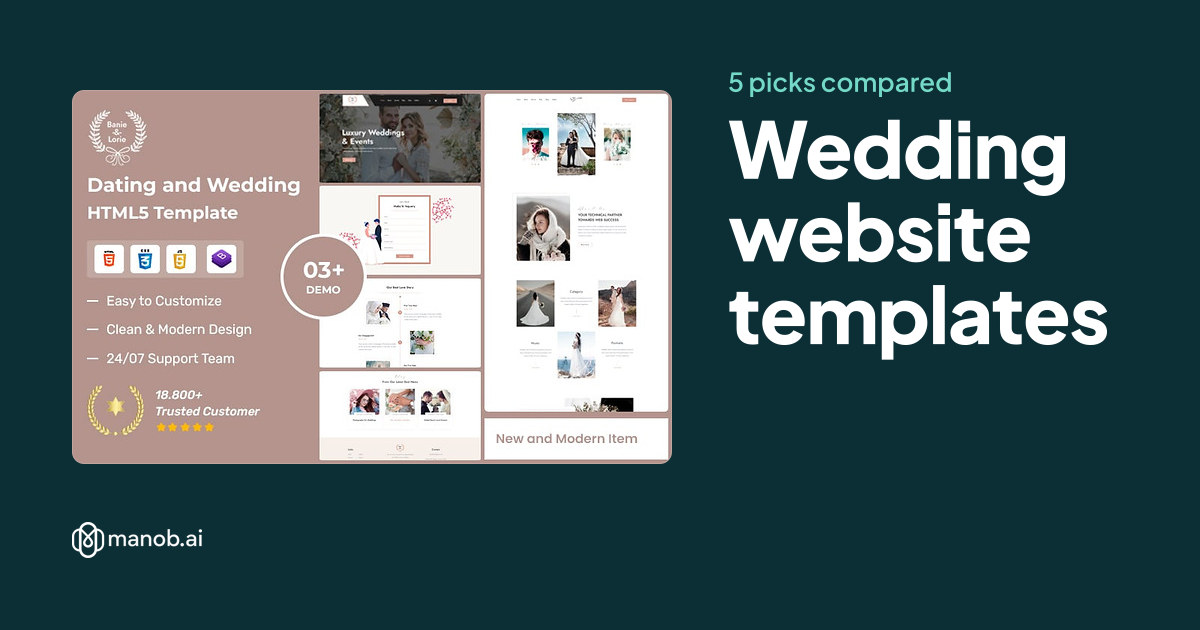
A wedding website template suits a photographer, a planner or a couple who want a gallery, a story and a contact page in one design. Manob lists five templates with wedding or photography in the name. Check any of them for guest pages before using it for a couple's own site.
A wedding website template is a pre-built design for wedding work. The right template depends on who the site is for. A photographer needs a gallery that shows the photos at their best. A planner needs service pages and an enquiry form. A couple may need a story page, venue details and a guest page. This guide compares five picks on Manob, groups them by use, and lists what to check before you buy. It does not cover venue listings or event booking software.
| Template | Type | Built with | Price from | Live demo |
|---|---|---|---|---|
| BanieLorie – Dating and Wedding Photography Bootstrap HTML5 Website Template | HTML template | — | $23 | Demo |
| Lumiere Minimal Photography and Wedding Portfolio HTML Template | HTML template | — | $19 | Demo |
| Pixer – Minimal Photography Wedding Portfolio WordPress Theme | WordPress theme | Elementor | $37 | Demo |
| BanieLorie – Wedding Event & Photographer WordPress Theme | WordPress theme | — | $51 | Demo |
| Newlife – Dating & Wedding Planner WordPress Theme | WordPress theme | — | $39 | Demo |
Can a wedding template show a photo gallery?
Yes, and galleries are the main reason to choose a photography template. Check how the gallery handles both landscape and portrait shots, since many wedding photos are portrait. Look at the single-photo view too, because a visitor often opens one image to see the detail. Test the layout on a phone, where a large gallery can slow down or crowd the screen.
Which template fits a photographer?
The minimal photography and wedding portfolio templates are built around images, so they suit a photographer who wants the pictures to lead. Choose the Lumiere template if you want a static HTML site, or the Pixer WordPress theme if you want to add new galleries yourself. Either way, keep the photo count manageable, because a long page of full-size images feels slow to visitors.
Photography and portfolio templates
BanieLorie Dating and Wedding Photography Bootstrap HTML5 Template: best for a static photography site
This Bootstrap HTML5 template covers dating and wedding photography, so it suits a photographer who wants a simple site with galleries and a contact page. There is no dashboard, so new galleries mean editing the files. That is manageable for a photographer who adds a few shoots each season. Our guide to editing a Bootstrap template covers the basic steps.
Lumiere Minimal Photography and Wedding Portfolio HTML Template: best for a minimal gallery
The name points to a minimal portfolio, so this template suits a photographer whose work needs space around it. Minimal designs keep the text short, which puts the emphasis on the pictures. The trade-off is that a minimal layout offers less room for long stories or detailed packages, so add those on separate pages if you need them.
Pixer Minimal Photography Wedding Portfolio WordPress Theme: best for a photographer who adds work often
Pixer is a WordPress theme with a minimal wedding portfolio design. It suits a photographer who adds a shoot every few weeks and wants to write about each one. A dashboard makes that easy. The cost is upkeep, so keep WordPress, the theme and plugins current, and test your gallery after every update.
Wedding event and planner themes
BanieLorie Wedding Event and Photographer WordPress Theme: best for a planner who also shoots
This WordPress theme is named for wedding events and photographers. It suits a business that plans weddings and also offers photography, because the site can show both services without two separate brands. Plan your service pages first, since a combined business needs a clear split between what it sells and who to contact.
Newlife Dating and Wedding Planner WordPress Theme: best for a planner with packages
Newlife is a WordPress theme named for wedding planners. It suits a planner who sells packages or consultations and wants a dashboard for updating them. Check that the pricing or package layout fits how you sell, because a planner with three fixed packages needs a different page from one who quotes each job.
HTML or WordPress for a wedding site?
Choose HTML when the site changes rarely and you want few moving parts. Choose WordPress when you add galleries, blog posts or packages often and want a dashboard. Clients see a similar page either way. The choice decides who maintains the site and how easily it changes. For a wider look at static templates, see our HTML5 templates guide.
What to check before you buy
- Gallery layout. Look for galleries that show portrait and landscape images without cutting faces or key details.
- An enquiry button on every page. Clients who find your work should be able to ask about a date at once.
- Services or packages. Check the template has a page where you can list what you offer and what it costs, or where a quote is requested.
- About and team pages. Couples and clients want to know who they are hiring. Check there is room for your story and team photos.
- Social links and testimonials. Reviews from past clients help a new enquiry. Make sure the template has space for them, with the client's permission.
When a template won't fit
A template gives you a design and a set of pages. It does not manage guest lists, RSVPs, seating charts, online gift lists or payments. If a couple needs those, buy a dedicated wedding site service or commission a custom build. A template also works poorly if the brand depends on an unusual layout, because you will spend more time changing the design than writing content. A custom build costs more but fits better. Our guide to customizing a WordPress theme shows how far a template can be changed.
If none of these suits you, browse every site template on Manob, including the event templates in our event website guide. Each product can be previewed before purchase.
Regular vs Extended License
The Regular License covers a single end product where end users aren't charged. A photographer's or planner's own website is normally that kind of product. The Extended License applies when end users are charged, for example through a payment form that takes money from clients. Neither license lets you redistribute the source files as they are. If you build sites for other wedding businesses or couples, each site is its own end product, so check the terms for each one. The Regular vs Extended License guide has the full comparison.
Frequently asked questions
What is a wedding website template?
A wedding website template is a pre-built site design for wedding work. Depending on the template, it includes galleries, service pages, an about page and a contact form. You replace the placeholder text and photos with your own, and the layout stays. It saves design time, but the site still depends on strong photos and clear service details.
Is there a template for a couple's own wedding site?
The templates here are named for photographers and planners, so none is marked as a guest-facing wedding site. If you need RSVPs, guest details or a gift list, check each template for a suitable page and confirm what it does not handle. Those features usually need a dedicated wedding site service or a custom build.
Which is better for a photographer, HTML or WordPress?
Neither is better in general. An HTML template suits a photographer who adds galleries a few times a year and is comfortable editing files. A WordPress theme suits one who adds work often and wants a dashboard. Choose the option you can keep current, because an empty or outdated portfolio does more harm than a simpler design.
Can a planner use a photography template?
You can, but check the service pages first. A planner needs space for packages, a process and testimonials, which a portfolio-led template may not provide. The planner-named templates here are a better starting point. Test the enquiry form on a phone before you rely on it.
Do wedding templates include privacy pages?
A template may include a page layout for privacy text, but it does not write that text for you. Your policy depends on what data you collect, such as enquiry details, and on the rules in your country. Ask a qualified adviser to review it before you publish. Ask clients for permission before you show their photos or testimonials.
Can I build wedding sites for clients with one template?
Not on one license. Each client site is its own end product, so each one needs a license that fits how it is used. You may not redistribute the source files as they are, which also means you cannot resell the template itself. Keep records of which license covers each site, and read the Extended License terms for any site that takes payments.