
Photography WordPress Themes and Website Templates, Compared
By Manob Editorial ·
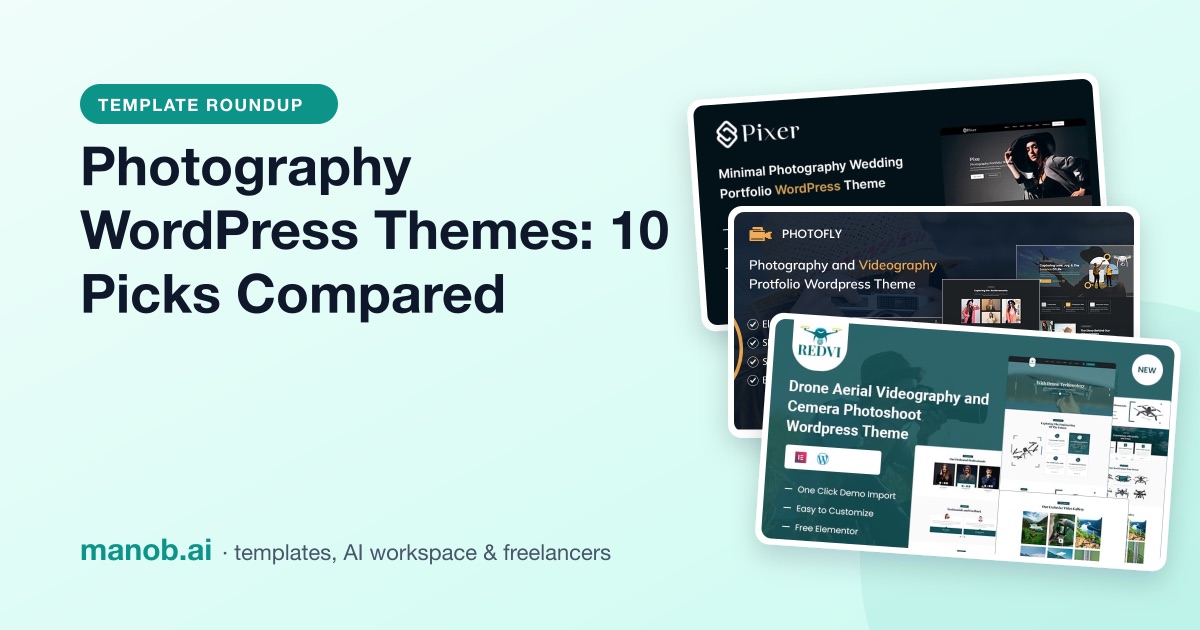
A good photography WordPress theme shows large images quickly, gives you more than one gallery layout and a lightbox that works on a phone, and keeps the design out of the way of your work. We compared 10 Manob templates, 6 WordPress and 4 HTML. Pixer suits a minimal portfolio; Photofly suits photo-and-video studios.
The 10 picks at a glance
If you searched for free photography themes: Manob's items are paid ($9 to $93 across the catalog), and the free options are covered in "When to look elsewhere" below. We read every listing and opened every live demo on October 13, 2026, and looked at which gallery and lightbox scripts each demo loads. One gap is shared by all 10: none of the listings mention client proofing, so plan for a plugin or a separate service if clients pick their photos online.
| Template | Type | Built with | Price from | Live demo |
|---|---|---|---|---|
| Pixer – Minimal Photography Wedding Portfolio WordPress Theme | WordPress theme | Elementor | $37 | Demo |
| Photofly – Camera Photography and Videography Portfolio WordPress Theme | WordPress theme | Elementor | $39 | Demo |
| Redvi – Drone Aerial Videography and Camera Photoshoot WordPress Theme | WordPress theme | — | $61 | Demo |
| BanieLorie – Wedding Event & Photographer WordPress Theme | WordPress theme | — | $51 | Demo |
| Litefolio - Portfolio and Photography WordPress Theme | WordPress theme | — | $41 | Demo |
| Artkit – Art Gallery and Museum Artist WordPress Theme | WordPress theme | Elementor | $39 | Demo |
| Lumiere Minimal Photography and Wedding Portfolio HTML Template | HTML template | — | $19 | Demo |
| Foxden - Photography Portfolio Template | HTML template | — | $19 | Demo |
| Pixer – Creative Photography HTML5 Template | HTML template | — | $29 | Demo |
| BanieLorie – Dating and Wedding Photography Bootstrap HTML5 Website Template | HTML template | — | $23 | Demo |
WordPress themes for photographers
Pixer: best for a minimal portfolio or a wedding photographer
Pixer's demo home page is almost all photographs: a short introduction, then an "All Works" grid. That's what most portfolio visitors want. The listing describes a variety of gallery layouts, blog options and portfolio features, with a drag-and-drop builder (the demo is built with Elementor).
- The demo uses Isotope for filterable grids and VenoBox for the lightbox.
- It runs Smash Balloon's Instagram feed plugin, so your latest posts can sit under the portfolio.
- An HTML version is in the HTML section below.

Pixer - Minimal Photography Wedding Portfolio WordPress Theme Pixer is a sleek and elegant WordPress theme crafted for photographers, wedding planners, and creative professional…
Photofly: best for studios that sell photography and video
Photofly's listing promises customizable layouts, dynamic galleries and video integration, and the demo backs that up with separate photography, videography and drone-shoot sections, a pricing block, a team section and a blog. It's built with Elementor and is WPML-compatible, and the demo runs the Instagram feed plugin and MailChimp for WordPress.
One thing to test: like most of the WordPress demos in this list, it loads three carousel libraries (Owl Carousel, Slick and Swiper). Run it through PageSpeed Insights before you commit, and remove the sliders you don't use.

Photofly – Photography & Videography Portfolio WordPress Theme Capture the essence of your creativity with Photofly, a stunning and responsive WordPress theme designed exclusive…
Redvi: best for drone and aerial videographers
Redvi is built for drone operators and videographers. The listing names a portfolio gallery, video background support and fast performance, and the demo has a video gallery, a team section, testimonials and an FAQ page. The demo also shows a grid of drone products; if you don't sell equipment, delete that section.

Redvi - Drone Aerial Videography and Camera Photoshoot WordPress Theme Redvi is a sleek and modern WordPress theme designed specifically for drone aerial videography and camera…
BanieLorie: best for wedding photographers who also want to sell
BanieLorie is aimed at wedding photographers and planners. The listing names a portfolio, video galleries, testimonials, a blog, wedding service packages and an RSVP and guestbook feature. The demo runs WooCommerce with YITH wishlist and quick-view plugins, which gives you a head start if you sell prints, albums or gift cards. The demo loads both Magnific Popup and PhotoSwipe for lightboxes; check that swiping between images works on your phone.

Introducing BanieLorie, the quintessential WordPress theme designed to make weddings and photography come alive online. Whether you're a wedding planner, photographer, or a coup…
Litefolio: best for photographers who also sell creative services
Litefolio's listing covers several gallery styles, a filterable portfolio, an integrated blog, social media integration and one-click installation. The demo leads with services, a "Watch the reel" video block and a photography gallery, then team and testimonials, so it suits a studio that also does design or content work. The demo uses Elementor's built-in lightbox.

Elevate your online presence and let your creative works take center stage with Litefolio, the ultimate Portfolio and Photography WordPress Theme. Meticulously crafted to meet t…
Artkit: best for fine-art photographers who exhibit
Artkit is written for art galleries, museums and artists, which makes it a good fit if you show prints in exhibitions rather than shoot weddings. The demo has a portfolio of works, an events schedule and service sections. It's built with Elementor and is WPML-compatible.

Artkit is an elegantly crafted WordPress theme tailored specifically for art galleries, museums, and artists looking to showcase their masterpieces and connect with their audien…
Photography website templates (HTML)
A static HTML template is a good choice for a portfolio that changes a few times a year: it's fast, cheap to host and has no plugins to update. The cost is that adding photos means editing files. Our guide to editing a Bootstrap template covers the basics, and the HTML5 templates roundup covers other industries.
Lumiere: best one-page portfolio with session pricing
Lumiere's listing is unusually specific. It's a static single-page site on Bootstrap 4 and jQuery with a filterable masonry gallery (Isotope) sorted by category (Wedding, Couples, Portraits, Fashion, Editorial), a full-screen animated hero slider and session pricing cards. The demo also has testimonials and an Instagram link. No back end or build tools are needed.

Lumiere is a static, single-page photography portfolio website for a fictional Brooklyn-based studio called "Lumiere Photography." Built with HTML5, CSS3, jQuery, and Bootstrap…
Foxden: a second one-page portfolio to compare with Lumiere
Foxden is a one-page photography template on Bootstrap 4 with Isotope filtering and a responsive lightbox. The demo has a masonry gallery, photography packages (couples, family, event, wedding), testimonials and an Instagram strip. Its structure is close to Lumiere's, so compare the two demos side by side and pick the look you prefer. The listing notes demo images aren't included in the download.

Foxden is a responsive one-page Photography template suitable for any Photography Portfolio. Foxden will help you to make photographer, portfolio agency or other business very e…
Pixer HTML: best static site for wedding photographers
The HTML version of Pixer, built on Bootstrap 5 and written for wedding photographers and planners. The demo has a portfolio of couples, testimonials, a blog and a newsletter block, with VenoBox for the lightbox.

"Pixer Crafting a captivating online presence is essential for wedding planners and photographers seeking to establish credibility and connect with clients and vendors alike. Ho…
BanieLorie HTML: the static version of BanieLorie
Built on Bootstrap 5 for wedding planners and photographers. The demo has a filterable project grid, a latest-video section, a blog and an Instagram section. Choose it over the WordPress version if you don't need the shop.

Banie & Lorie Wedding Planner and Photography HTML5 Template Introducing the Bane & Lorie HTML5 template, a premier solution for crafting a professional and reliable website for…
How to choose a photography WordPress theme
- Gallery layouts. Look for at least grid, masonry and full-width options. Picture a portrait-heavy set and a landscape set in each layout: masonry handles mixed orientations, while a strict grid crops them.
- Image loading and speed. Large photos are the main reason photography sites are slow. Export at display size rather than full resolution, use WebP where your host supports it, and keep WordPress's default lazy loading on. Test each demo on mobile in PageSpeed Insights; demos that load several slider libraries tend to score lower.
- Lightbox. Open a gallery image on your phone and swipe. Check for captions, a visible close button and keyboard arrows on desktop. The picks above use VenoBox, Magnific Popup, PhotoSwipe or Elementor's lightbox.
- Full-screen sliders. A full-screen hero looks good, but a slow first image hurts how fast the page feels. Make the first slide your lightest image.
- Proofing and client galleries. None of these listings mention proofing (clients marking favorites, approving selections or downloading finals). WordPress can password-protect any page out of the box, which is fine for a simple private gallery. For selections and downloads, add a proofing plugin or use a client-gallery service and link to it.
- Watermarks. None of the listings mention watermarking. Add them on export in your editing software or with a plugin, and remember that right-click blocking doesn't stop anyone from taking a screenshot.
- Selling prints. BanieLorie's demo already runs WooCommerce. With the others, you'd add WooCommerce yourself and style the shop pages.
Licensing: Regular or Extended
Every Manob item has a Regular License and an Extended License price. The Regular License covers a single end product whose end users aren't charged, such as your own portfolio site. The Extended License covers an end product whose end users are charged. Neither license allows redistributing the source as-is, and if you build portfolio sites for other photographers, each one needs its own license. Every purchase includes 6 months of seller support through Manob's built-in ticket system, extendable at 30% before it expires or 75% after. The licenses page has the full terms.
When to look elsewhere
- You want a free photography theme. The WordPress.org directory has a photography tag with free themes. Many are simple, but a simple theme with a good gallery plugin is a reasonable start.
- You want more designs. A search for "photography" in ThemeForest's WordPress category returned 1,314 results on October 13, 2026.
- Proofing and delivery are the main job. If clients choose, approve and download photos every week, a dedicated client-gallery platform may serve you better than WordPress, with your theme as the public portfolio.
- You're a designer or developer, not a photographer. See our portfolio website templates roundup.
For everything else, browse all WordPress themes on Manob, or read how to customize a WordPress theme once you've picked one.
Frequently asked questions
What is the best free photography WordPress theme?
Manob's catalog has no free themes as of October 2026. Start with the photography tag in the WordPress.org theme directory and pair a lightweight theme with a gallery plugin.
Do photography WordPress themes include client proofing galleries?
None of the 10 listings here mention it. Use WordPress's built-in page passwords for simple private galleries, or a proofing plugin or service for selections and downloads.
How do I keep large photos from slowing my site?
Export images at the size they're displayed, use WebP, keep lazy loading on and remove unused slider scripts. Then test the page on mobile in PageSpeed Insights.
Can I sell prints with a photography WordPress theme?
Yes, with WooCommerce. BanieLorie's demo already runs it; with the other themes you add and style it yourself.
Can I watermark photos in WordPress?
None of these listings mention watermarking, so add it on export or with a watermark plugin.
Should I use WordPress or an HTML template for a photography portfolio?
Use WordPress if you add galleries often or want a blog or shop. Use HTML if your portfolio changes a few times a year and you're fine editing files.