
How to Build an AI App: 8 Steps From Idea to Launch
By Manob Editorial ·
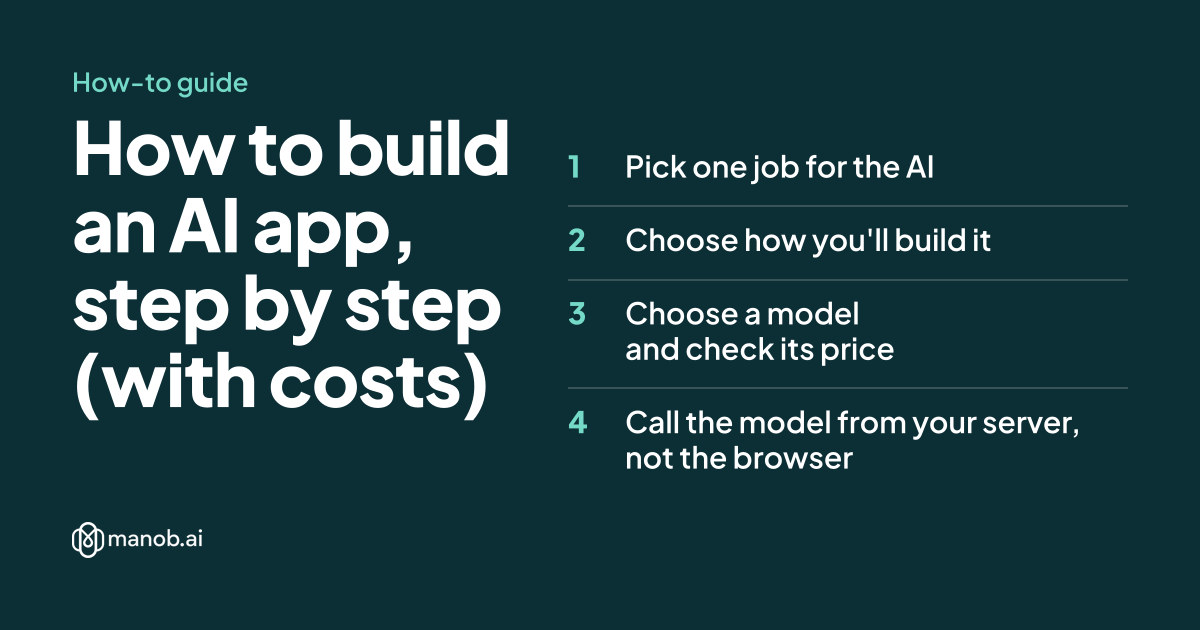
To build an AI app, pick one job for the AI and write down what a good answer looks like. Then choose how to build: an AI app builder, a no-code platform or your own code calling a model API. Keep the API key on your server, test on real examples, estimate token costs and launch small.
This guide is about apps that use AI to do something for their users, such as summarizing, sorting, answering or drafting. You can also build the app itself with AI tools, and step 2 covers that choice. Prices are as of October 2026, from each provider's own page.
Step 1: Pick one job for the AI
An AI app that tries to do everything is hard to test and harder to fix. Start with one input and one output:
- A customer review goes in; a one-line summary and a positive, negative or mixed label come out.
- A support email goes in; a draft reply using your help articles comes out.
- A photo of a receipt goes in; the date, vendor and total come out as fields.
Write three or four examples of a good answer by hand before you touch a tool. They become your first tests in step 5, and they force you to decide what "good" means: length, tone, format and what the AI must never say.
Step 2: Choose how you'll build it
| Route | Good for | Examples | Watch out for |
|---|---|---|---|
| AI app builder | A working prototype from a chat, often in a day | Lovable, Bolt.new, Replit, Base44, manob.ai | Usage credits, and a stack the tool chooses |
| No-code platform | Internal tools and visual workflows | Bubble, Glide, Softr, AppSheet | Prices that scale with users or workload |
| Your own code | Full control over cost, data and behavior | A web framework plus a model provider's SDK | You own hosting, security and upkeep |
Builders differ in how they handle AI features inside your app. Lovable bills them from your credits, and its credits docs say that if credits run out, "AI features in deployed apps stop working". Base44's pricing FAQ says services you connect, such as OpenAI, bill you directly. On Replit, AI integrations need the Core plan (Starter docs). Our comparisons of Lovable alternatives, Replit alternatives and the best no-code app builders go through the options in detail.
Step 3: Choose a model and check its price
Model APIs charge per million tokens, with separate prices for the text you send (input) and the text you get back (output). Here are three Claude models from Anthropic's pricing page, as of October 2026:
| Model | Input, per million tokens | Output, per million tokens |
|---|---|---|
| Claude Haiku 5.5 (prompts up to 100,000 tokens) | $0.10 | $0.50 |
| Claude Sonnet 5.5 | $2 | $10 |
| Claude Opus 5.5 | $4 | $20 |
Google's Gemini API pricing uses the same per-million-token model and lists a free tier for some models. Don't pick on price alone. Shortlist two or three models, run your step 5 tests on each, and use the cheapest one that passes.
Step 4: Call the model from your server, not the browser
Your API key is a password that spends your money. If it ships in front-end JavaScript or a mobile app bundle, anyone can copy it. Keep it in an environment variable on your server, and have your front end call your own endpoint instead. Here's a minimal server-side function in TypeScript using Anthropic's SDK (npm install @anthropic-ai/sdk):
// summarize.ts: runs on your server, never in the browser
import Anthropic from "@anthropic-ai/sdk";

const client = new Anthropic(); // reads ANTHROPIC_API_KEY from the environment

export async function summarizeReview(review: string): Promise<string> {
  const response = await client.messages.create({
    model: "claude-opus-5-5",
    max_tokens: 4096,
    output_config: { effort: "low" },
    system:
      "Summarize the customer review in one sentence, then label it positive, negative or mixed.",
    messages: [{ role: "user", content: review }],
  });

  if (response.stop_reason === "refusal") {
    return "This review couldn't be summarized.";
  }

  let text = "";
  for (const block of response.content) {
    if (block.type === "text") text += block.text;
  }
  return text;
}
Three details matter in production. max_tokens caps how long a reply can get, which also caps its cost. effort: "low" tells the model a simple task doesn't need long reasoning. And the refusal check means your app shows a clear message instead of a blank one. Other providers' SDKs follow the same shape: a system instruction, the user's input and a response you read on the server.
Step 5: Test on real examples before you build screens
- Collect 20 to 50 real inputs, including messy ones: typos, very long text, the wrong language, empty fields.
- Write the expected result for each, or at least a pass/fail rule ("label must be one of three words").
- Run them all through your prompt and score the results.
- Change one thing at a time, the prompt or the model, and rerun the whole set.
Keep the set. Every later change to the prompt or the model gets rerun against it, which is how you catch a fix that breaks something else.
Step 6: Add your own data if the answers need it
A general model doesn't know your prices, policies or product names. The common fix is retrieval: when a question comes in, search your own documents, put the most relevant passages into the prompt, and tell the model to answer only from them. Start with a plain keyword search over a few dozen help articles. Move to a vector database only when keyword search keeps missing the right passage. You rarely need to train a model of your own.
Step 7: Estimate and cap the cost
Take an app that handles 10,000 requests a month, each with about 1,500 input tokens and 300 output tokens. That's 15 million input and 3 million output tokens a month. At the prices above:
- Claude Haiku 5.5: $1.50 input + $1.50 output = about $3 a month
- Claude Sonnet 5.5: $30 + $30 = about $60 a month
- Claude Opus 5.5: $60 + $60 = about $120 a month
That 40-fold spread is why step 5 matters: test whether the cheaper model is good enough for your job before you pay for the larger one. Anthropic's Batch API takes 50% off both input and output tokens for requests that don't need an instant answer, such as overnight report generation. Measure real token counts from the usage figures each response returns rather than relying on estimates, set a spending limit if your provider offers one, and add a per-user daily limit so one account can't run up the bill.
Step 8: Launch small and watch it
- Start with a few users. Real people find failure cases your test set didn't.
- Add a feedback button on every AI answer, and read what people flag each week.
- Label AI output so users know when to double-check it.
- Be careful with personal data. Read your provider's data-use terms, and don't send information your privacy policy doesn't cover.
To put the app on your own address, see how to connect a domain to hosting and how to deploy a website. If the app needs a marketing site too, our SaaS website templates roundup has designs you can preview first.
Where manob.ai fits
manob.ai is our own platform, so weigh this with that in mind. Its AI workspace covers steps 2 and 8: an AI chat and agentic code editor, a cloud sandbox with live preview, and deploy. As of October 13, 2026 (pricing), Starter is free with 1,000 AI Energy a month. Builder, at $12 a month, adds 25,000 AI Energy, full-stack builds with an API, database and auth, and a custom domain. If you'd rather hand the build to a person, the marketplace also sells freelance services. The model choice, testing and cost work in steps 3 to 7 apply wherever you build.
Frequently asked questions
Can I build an AI app without coding?
Yes. AI app builders such as Lovable, Bolt.new and Base44 build apps from a chat, and no-code platforms such as Bubble and Glide let you add AI features visually. You still need to test the AI's answers on real examples.
How much does it cost to run an AI app?
It depends on the model and volume. As of October 2026, 10,000 requests a month at 1,500 input and 300 output tokens each costs about $3 on Claude Haiku 5.5 and about $120 on Claude Opus 5.5, before hosting and builder fees.
Do I need to train my own AI model?
Usually not. Most AI apps call an existing model through an API and add their own data to the prompt with retrieval. Training your own model is rarely the first step.
Is it safe to put my API key in the app?
No. Anything shipped in front-end code or a mobile app can be extracted. Keep the key in an environment variable on your server, and let your app call your server.
Which AI model should I use?
Shortlist two or three, test each on 20 to 50 of your real inputs, and pick the cheapest one that passes. Prices differ widely: the three Claude models above range from $0.10 to $4 per million input tokens as of October 2026.