
How to Connect a Domain to Your Hosting: Nameservers, A Records and CNAMEs
By Manob Editorial ·
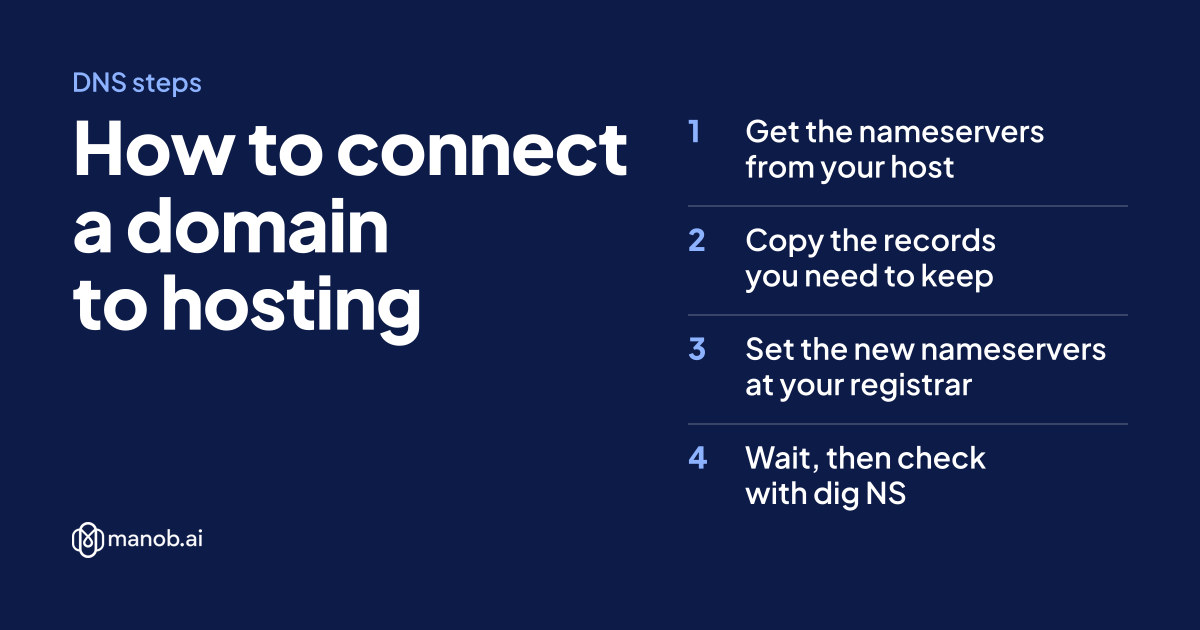
To connect a domain to hosting, either replace its nameservers with the ones your host gives you, or keep your current DNS and add two records: an A record pointing the bare domain at your server's IP address and a CNAME pointing www at your host. Then wait for cached records to expire and check with dig or nslookup.
The commands below were run on 14 October 2026. Replace yourbrand.com with your domain and 203.0.113.10, a documentation address, with your server's real IP.
What do you need before you start?
- Login access to wherever your DNS is managed. That's usually your registrar, but not always. If the domain already uses another company's nameservers, records you edit at the registrar do nothing. Check with
dig NS yourbrand.com +short(shown below). - The target from your host. A server gives you an IP address. A platform gives you a hostname to CNAME to, or a pair of nameservers.
- A list of records you must keep. MX records for email and TXT records for verification (Google, Microsoft 365, email signing) break silently if you drop them. Screenshot or export the current zone first.
Should you change nameservers or add DNS records?
| Method | What it changes | Use it when | Watch out for |
|---|---|---|---|
| Nameservers | Which company's DNS answers for the whole domain | Your host asks for it, or you want the host to manage every record | Records at the old DNS don't move with it. It's also the slowest change to spread. |
| A record | Points a name at an IPv4 address | You have a VPS or server with a fixed IP | An old AAAA (IPv6) record can still send some visitors elsewhere |
| CNAME | Makes one name an alias of another hostname | The host gives you a hostname, or for www | Standard DNS doesn't allow it on the bare domain |
If you're not sure, add records and keep your current DNS. It's quicker to reverse, and your email records stay where they are.
Method 1: How do you point a domain by changing nameservers?
- Get the nameservers from your host. For a site built in the manob.ai AI workspace, they're
ns1.manob.aiandns2.manob.ai. For Windows shared hosting, use the nameservers listed in your hosting account's access details. - Copy every record you need to keep from your current DNS, especially MX and TXT.
- Open your registrar's domain settings, find Nameservers, choose custom nameservers and enter the new pair. On manob.ai you do this from the domain dashboard. A domain registered there already starts on manob.ai's nameservers.
- Recreate the records you copied at the new DNS host.
- Wait, then check with
dig NS. Expect hours rather than minutes.
Method 2: How do you point a domain with A and CNAME records?
- Open the DNS records wherever your domain's DNS is hosted. On manob.ai that's the domain dashboard, which edits A, CNAME, MX and TXT records.
- Lower the TTL on the records you'll change to 300 seconds, then wait for the old TTL to run out. A record cached with a TTL of 3600 can be served for up to an hour after you change it.
- Delete or edit the old A and AAAA records on
@(the bare domain) and the oldwwwrecord. If the domain showed a parking page, these are the records pointing at it. - Add the new records from your host, as in the examples below.
- Save, wait a few minutes and run the checks in the next section.
- Once everything resolves, raise the TTL again (3600 is a common choice) so resolvers cache it longer.
Many DNS panels add your domain to the Host field for you. Enter www, not www.yourbrand.com, or you'll create www.yourbrand.com.yourbrand.com.
Example: a site from the manob.ai AI workspace
Add the domain to your deployed project in the workspace, then create these records. HTTPS certificates for workspace deploys are issued automatically.
Type   Host   Value               TTL
CNAME  www    gateway.manob.ai    300
CNAME  @      gateway.manob.ai    300    # only if your DNS host accepts a CNAME on @
If your DNS host refuses the @ record, use its ALIAS, ANAME or CNAME flattening option if it has one, or switch the domain to ns1.manob.ai and ns2.manob.ai (Method 1).
Example: a Linux VPS
Use the server's public IPv4 address, the same one you connect to over SSH. A manob.ai VPS can deploy manob.ai projects, Git repos and Docker apps, each with a custom domain.
Type   Host   Value            TTL
A      @      203.0.113.10     300
CNAME  www    yourbrand.com    300
If the server also has an IPv6 address, add an AAAA record for it. If it doesn't, make sure no AAAA record is left over from an old host.
Why can't you put a CNAME on the bare domain?
The DNS standards say "a CNAME record is not allowed to coexist with any other data" (RFC 1912, section 2.4). The bare domain always carries NS and SOA records, and usually MX and TXT too, so a CNAME there breaks the rule. Some providers work around it by resolving the target themselves and answering with its IP address. Cloudflare calls this CNAME flattening and allows it at the apex (Cloudflare docs). Others call it ALIAS or ANAME.
How long does DNS propagation take?
Nothing is pushed to the internet. Resolvers cache each answer for its TTL (time to live, in seconds) and ask again only when it expires. So timing depends on what you changed:
- A, AAAA or CNAME records: visible to most visitors once the old TTL has passed. With a TTL of 300, that's about five minutes.
- Nameservers: slower. The .com registry's servers hand out a domain's nameserver records with a TTL of 172,800 seconds, which is 48 hours. You can see that number in the output of the
+norecursecommand below. That's where the familiar "up to 48 hours" comes from. - Your own computer and browser cache answers too, so test against a public resolver (below) before deciding something is wrong.
Hosts give similar guidance. GitHub's docs, for example, say DNS changes "can take up to 24 hours to propagate" (GitHub Docs).
How do you check DNS with dig and nslookup?
On macOS or Linux, use dig. +short prints just the answer:
# which nameservers answer for the domain
dig NS yourbrand.com +short

# where the bare domain points (IPv4, then IPv6)
dig A yourbrand.com +short
dig AAAA yourbrand.com +short

# where www points
dig CNAME www.yourbrand.com +short

# ask a public resolver instead of your own network's cache
dig @1.1.1.1 A yourbrand.com +short

# .com and .net only: ask the registry what nameservers it has on file
dig +norecurse @a.gtld-servers.net NS yourbrand.com
What you want to see: for a VPS, dig A returns your server's IP and dig AAAA returns your server's IPv6 address or nothing. For a workspace deploy, dig CNAME www… returns gateway.manob.ai..
On Windows, use nslookup with a -type= option, adding a resolver's address at the end to bypass your network's cache (Microsoft Learn). ipconfig /flushdns clears Windows' own DNS cache (Microsoft Learn):
nslookup -type=NS yourbrand.com
nslookup -type=A yourbrand.com 1.1.1.1
nslookup -type=AAAA yourbrand.com
nslookup -type=CNAME www.yourbrand.com
ipconfig /flushdns
What are the most common mistakes?
| Symptom | Likely cause | Fix |
|---|---|---|
| The DNS panel rejects your record, or email stops after adding it | A CNAME on the bare domain | Use an A record, your provider's ALIAS/flattening option, or the host's nameservers |
| Some visitors (those on IPv6 connections) still see the old site | A leftover AAAA record pointing at the old host | Delete it, or replace it with your new server's IPv6 address |
| yourbrand.com works but www doesn't (or the reverse) | www missing, still pointing at a parking page, or not added at the host | Add the www CNAME and add both names to your host if it asks for a domain list |
| The site flips between old and new | Two A records on @ with different IPs | Keep only the new server's address |
| Email stopped after switching nameservers | MX and TXT records weren't recreated at the new DNS | Copy them over from your saved list |
| Your edits change nothing | You're editing DNS at the registrar while the domain uses another company's nameservers | Run dig NS and edit records where it points |
| Certificate warning right after the switch | Hosts that issue certificates automatically usually need the domain to resolve to them first | Wait for DNS, then let the host retry |
That last one matters for any host using free automated certificates. Let's Encrypt, for example, must confirm you control the domain before it issues a certificate, and one of its methods fetches a file from your domain over HTTP (Let's Encrypt). For a site hosted elsewhere, manob.ai also sells SSL certificates separately.
What comes next?
No domain yet? Read how to buy a domain name or search for one on manob.ai. Still choosing a host? Compare domain vs hosting and VPS vs shared hosting, or see the VPS plans. Moving a domain you own? See how to transfer a domain from GoDaddy. A transfer keeps your nameservers, but if the old registrar hosts your DNS, save a copy of your records first.
Frequently asked questions
How long does it take to connect a domain to hosting?
A new A or CNAME record usually works within minutes to an hour, depending on the old record's TTL. A nameserver change can take up to 48 hours to reach every resolver.
Should I change nameservers or use an A record?
Use an A or CNAME record if you want to keep your current DNS and email settings. Change nameservers when your host asks for it or you want it to manage all your DNS.
What's the difference between an A record and a CNAME?
An A record points a name directly at an IPv4 address. A CNAME points a name at another hostname, which then resolves to an address, so it follows the host if its IP changes.
Do I need to point www separately?
Yes. www.yourbrand.com is a separate name in DNS, so it needs its own record, usually a CNAME to the bare domain or to the host's hostname.
Why does my domain still show the old website?
A cached answer, a leftover AAAA record or an old A record is still in play. Check with dig against 1.1.1.1, remove stale records and clear your local DNS cache.