
How to Transfer a Domain From GoDaddy Without Breaking Your Site
By Manob Editorial ·
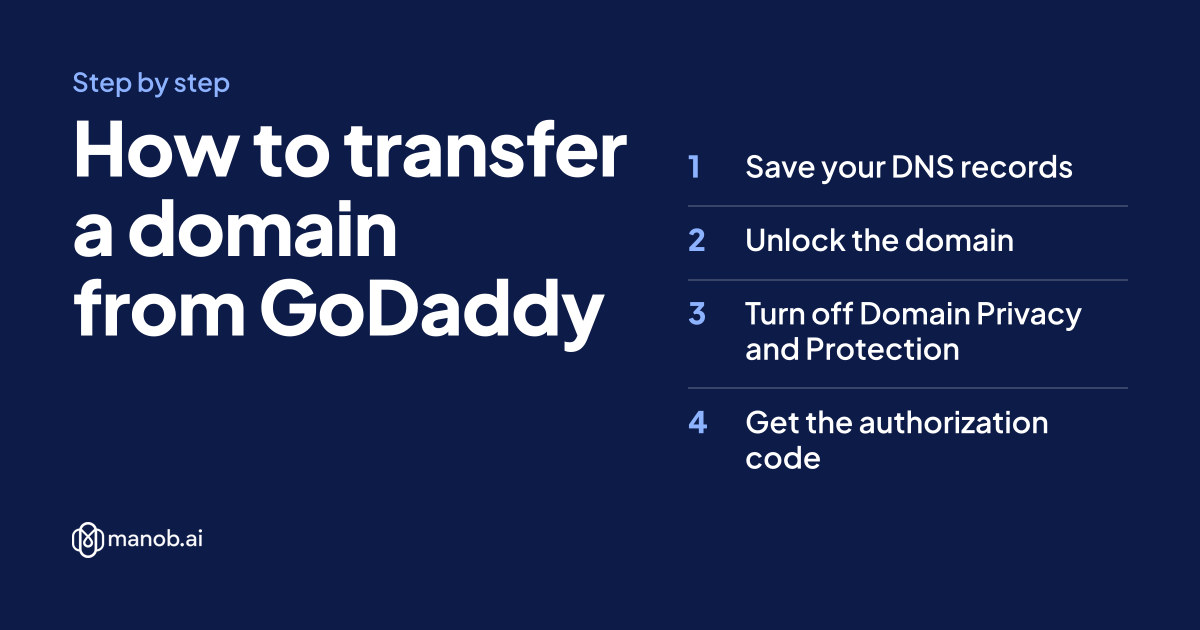
To transfer a domain from GoDaddy, open it in your Domain Portfolio, turn off the transfer lock, Domain Privacy and Domain Protection, then select Transfer to Another Registrar to get the authorization code. Enter that code at your new registrar and pay for the transfer. Approve it on GoDaddy's Transfers page, or wait: transfers typically take 5 to 7 days.
GoDaddy labels below come from GoDaddy's help center, checked on 14 October 2026. If a label has changed since, follow the linked help page.
Can your domain be transferred yet?
Check these before you start, because each one blocks a transfer:
- 60 days since registration or a previous transfer. ICANN's Transfer Policy lets the current registrar deny a transfer within 60 days of either event, and GoDaddy does.
- 60 days since a contact change, if the registrant chose the 60-day lock when approving it. GoDaddy offers that choice when you approve a change to the registrant's name, organization or email.
- 120 days for domains bought as part of a GoDaddy bundle, counted from registration.
- Not in redemption. GoDaddy says expired domains "can be transferred until they're in redemption." After that, restore the domain first.
- An email you can read. GoDaddy sends the auth code to the registrant email on the domain, and notices about the transfer go to that contact too.
Source for the GoDaddy rules: Transfer my domain away from GoDaddy. If the domain expires in the next few weeks, renew it at GoDaddy first, as GoDaddy's unlock guide suggests. Renewing first doesn't waste the money: the transfer adds its year on top of the new expiry date, up to the ten-year cap.
Step 1: Save your DNS records
A transfer moves the registration. It doesn't move your website, your email or any other GoDaddy product, and it doesn't copy DNS records anywhere. If your domain uses GoDaddy's nameservers, your records live in your GoDaddy account. Export them first:
- Sign in to your GoDaddy Domain Portfolio and select the domain to open Domain Settings.
- Select DNS to view your records.
- Select Export Zone File from the Actions menu. GoDaddy downloads it in standard BIND format (GoDaddy help).
The file lists every A, CNAME, MX and TXT record you'll need to recreate on manob.ai or another DNS host.
Step 2: Unlock the domain
- Sign in to your GoDaddy Domain Portfolio.
- Select the domain to open its Domain Settings page.
- Under the Transfer section, switch the toggle to Off. Off means unlocked and eligible for transfer.
- If the domain has Domain Protection, enter the verification code GoDaddy sends you.
GoDaddy says the change can take up to 90 minutes to show (GoDaddy help), so give it time before you start the transfer.
Step 3: Turn off Domain Privacy and Domain Protection
GoDaddy lists both in its manual transfer checklist.
- Domain Privacy: in Domain Settings, select Change on the Domain Privacy card, choose Off and save (GoDaddy help). GoDaddy also turns privacy off on its own when you continue with the transfer in Step 4, so your contact details reach the new registrar.
- Domain Protection: in your Domain Portfolio, select the plan name in the Protection Plan column, downgrade it fully to none, select Confirm Downgrade, then Continue & Verify and enter the code GoDaddy sends (GoDaddy help).
Your contact details may show in public lookups until the new registrar's privacy takes over. On manob.ai, WHOIS privacy is free and switches on for extensions that allow it.
Step 4: Get the authorization code
The authorization code, also called the auth code or EPP code, is a password for this one domain. Here's how GoDaddy's auth code guide describes it:
- Go to your GoDaddy Domain Portfolio and select the domain.
- Select Transfer to Another Registrar under Transfer. If the domain isn't eligible, GoDaddy shows you why.
- Review the transfer checklist.
- Select Continue with transfer. This is the step that turns off Domain Privacy.
- If the domain has Domain Protection, enter the verification code.
- Select Click here to see Authorization Code, then Copy to Clipboard. GoDaddy also emails the code to the domain's registrant email address.
Treat the code like a password: anyone who has it can start a transfer of the unlocked domain. For many domains, GoDaddy can export the codes to a .csv file. A .uk domain doesn't use an auth code: you enter the new registrar's IPS tag at GoDaddy instead.
Step 5: Start the transfer on manob.ai
- Sign in to manob.ai, open your Domains page and select Transfer (Transfer In on an account with no domains yet). The Transfer Domain In form opens.
- Enter the domain and select Check eligibility. The checklist reads the lock status from the registry, so if it still shows the domain as locked, give GoDaddy's change a little longer and check again.
- Confirm the contact information consent. The checklist reminds you that the losing registrar sends its approval request to the domain's WHOIS email.
- Paste the authorization code.
- Choose what happens to nameservers. Keep my current nameservers is marked as recommended, so your site and email keep running during the transfer. Choosing manob.ai's nameservers doesn't copy your existing records.
- Enter the registrant details and pay. Transfers are paid from Manob Wallet, so top it up first if you need to.
The transfer price includes a year added to your current expiry date (two years for .ai). Live prices:
| Extension | Register | Renews at | Transfer in | Minimum term | Restore after expiry |
|---|---|---|---|---|---|
| .com | $15.51/yr | $16.09/yr | $20.23 (adds 1 year) | 1 year | $71.29 |
| .net | $17.24/yr | $21.84/yr | $17.24 (adds 1 year) | 1 year | $74.74 |
| .org | $17.01/yr | $20.92/yr | $17.01 (adds 1 year) | 1 year | $84.51 |
| .co | $35.52/yr | $43.00/yr | $35.52 (adds 1 year) | 1 year | $102.57 |
Live manob.ai prices in US dollars, read from the domain checkout. Search a name to see the exact total for your domain.
Step 6: Approve the transfer at GoDaddy
You don't have to do anything here: GoDaddy says it approves the transfer automatically within seven days unless you cancel it. To finish sooner (GoDaddy help):
- Sign in to your GoDaddy Transfers page.
- Select Transfers Out, then the In Progress tab.
- Select the checkbox next to the domain.
- Select Approve Transfer.
GoDaddy says the transfer should then complete within 15 to 30 minutes, depending on the new registrar. Under ICANN's policy, the registry completes a transfer unless the losing registrar objects within five calendar days of being notified.
After the transfer: what to check
- The domain is in your manob.ai account with an expiry date one year later than before.
- The nameservers are still the ones you expect. Check from a terminal:
# who serves DNS for the domain now dig NS yourdomain.com +short # where the website points dig A yourdomain.com +short # registrar and expiry date (output labels vary by registry) whois yourdomain.com | grep -iE "registrar:|expir" - Your website and email still work. Send a test message to an address at the domain.
- Move DNS off GoDaddy. If the nameservers are still GoDaddy's, don't assume GoDaddy will keep serving your records now that the domain has left. Recreate the records from your zone file in manob.ai's DNS editor, then switch the nameservers to
ns1.manob.aiandns2.manob.ai. Changes can take up to 48 hours to reach every network. Our guide to connecting a domain to hosting covers each record type. - Auto-renew is on. It's the default on manob.ai.
- Cancel what you no longer need at GoDaddy, such as hosting, but only after the new setup works.
The 60-day clock restarts: a registrar can refuse another transfer of this domain for 60 days.
Why do GoDaddy transfers fail?
| Problem | Likely cause | Fix |
|---|---|---|
| Domain shows as locked | The lock toggle is still on, or the change hasn't reached the registry yet. | Turn the Transfer toggle off and wait up to 90 minutes. |
| Auth code rejected | A typo or an extra space, or an old code. | Copy the code again from GoDaddy and re-enter it. |
| Transfer refused within 60 days | The domain was registered, transferred or had a locked contact change in the last 60 days. | Wait until the 60 days are up. |
| Transfer denied by GoDaddy | Reasons ICANN allows include suspected fraud, unpaid fees for a past period and a pending UDRP dispute or court order (ICANN FAQ). | Ask GoDaddy why, clear it, then start again. |
| Registry lock | A lock set at the registry level, which only the current registrar can remove. | Ask GoDaddy to lift it. |
| Approval email never arrived | The registrant email is out of date. | Update the contact at GoDaddy. A name, organization or email change can trigger a new 60-day lock unless you decline it. |
A policy review by ICANN's GNSO Council has recommended shortening the 60-day post-registration and post-transfer windows to 30 days, or 720 hours (GNSO Council report). As of October 2026 those changes aren't in effect, so the 60-day rules still apply.
Want to give the domain to someone else instead of moving it yourself? See how to transfer domain ownership. Buying a new name too? Start with how to buy a domain name, or read domain vs hosting if you're moving your site as well.
Frequently asked questions
How long does it take to transfer a domain from GoDaddy?
GoDaddy says transfers typically take 5 to 7 days. If you approve the transfer on GoDaddy's Transfers page, it should complete within 15 to 30 minutes of approval.
Will my website go down during the transfer?
Not if you keep your current nameservers during the transfer. The risky moment comes later, if the nameservers change before the DNS records have been recreated, so export your zone file first.
Do I lose the time left on my GoDaddy domain?
No. A transfer adds a year to the current expiry date, within the ten-year maximum. A .ai transfer adds two years.
Where do I find my GoDaddy authorization code?
In your Domain Portfolio, select the domain, then Transfer to Another Registrar, Continue with transfer, and Click here to see Authorization Code. GoDaddy also emails it to the registrant email address.
Can I transfer a domain I registered at GoDaddy last month?
Not yet. Registrars can deny a transfer within 60 days of registration, and GoDaddy does. Bundle domains wait 120 days.