
Hotel Website Templates for Hotels, Resorts and Guesthouses
By Manob Editorial ·
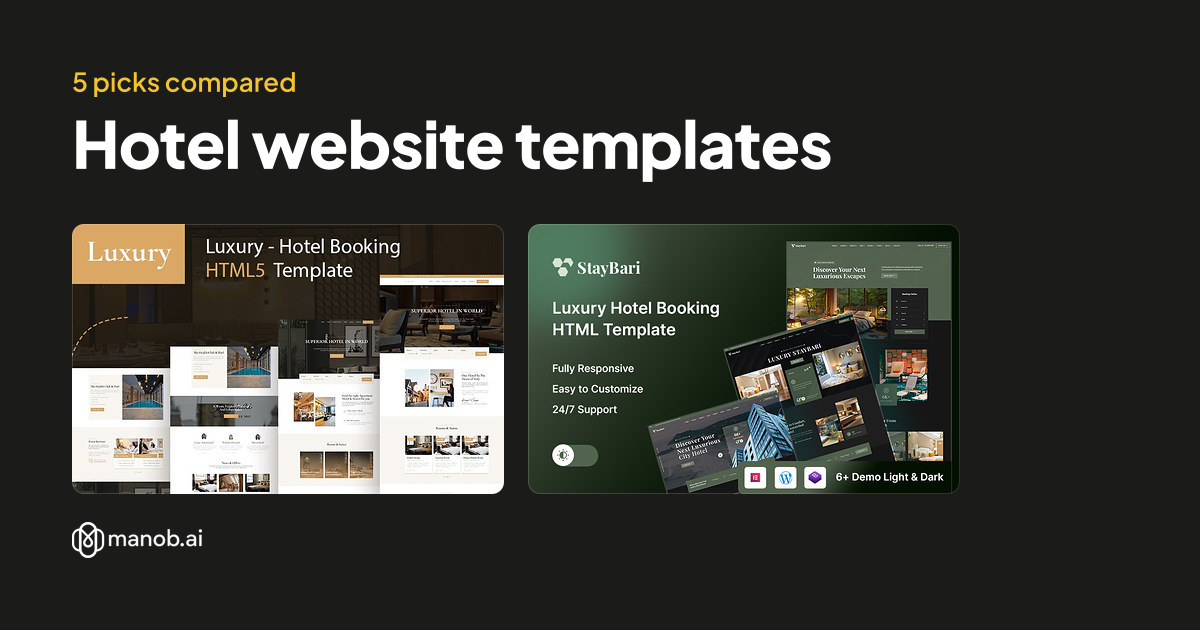
A hotel website template gives a hotel, resort or guesthouse a home page, room pages, an amenities section and a booking button. Manob lists five templates with hotel, resort or booking in the name. Four are HTML and one is WordPress. None takes live reservations alone, so pair the design with a booking engine.
A hotel website template is a ready design for a hotel, resort or guesthouse. Guests look for rooms, rates, photos and a reason to book directly rather than through a third party. This guide compares five templates on Manob that carry hotel or resort in their names, explains what each one suits, and shows where a booking engine has to take over. The prices appear in the table below.
| Template | Type | Built with | Price from | Live demo |
|---|---|---|---|---|
| Luxury - Hotel and Luxury Hotel Booking Bootstrap HTML5 Website Template | HTML template | — | $20 | Demo |
| Staybari – Luxury Hotel Booking HTML Template | HTML template | — | $49 | Demo |
| Staybari – Hotel Booking & Travel Resort HTML5 Template | HTML template | — | $29 | Demo |
| Travel Tour and Hotel Booking Bootstrap HTML5 Website Template | HTML template | — | $19 | Demo |
| Royella - Hotel Booking WordPress Theme | WordPress theme | Elementor | $47 | Demo |
Can a hotel website template take direct bookings?
Not by itself. A template shows room pages and a booking button, but availability, rates, payment and confirmations come from a booking engine or booking widget that you connect. Choose the engine first, then pick a template whose room and rate pages can display the data it sends. A booking button that leads to nowhere costs you more than no button at all.
Which template suits a luxury hotel?
Two templates are named for luxury hotels: the Luxury Hotel Bootstrap HTML5 template and the Staybari Luxury Hotel Booking HTML template. Start there if you want a formal look with room galleries and a clear booking call to action. Open both previews on a phone too, because guests often browse on one before they book.
Luxury and resort HTML templates
Luxury Hotel and Luxury Hotel Booking Bootstrap HTML5 Website Template: best for a boutique hotel
This Bootstrap HTML5 template is built for a hotel that wants a static site and a common framework. A developer you hire will likely recognize Bootstrap, which makes handover simpler. Edit the room and rate text in the HTML files, and keep your photos at the sizes the template expects. Our guide to editing a Bootstrap template covers the steps.
Staybari Luxury Hotel Booking HTML Template: best for a single luxury property
The name points to one luxury property rather than a large chain, so this template suits a boutique hotel or a villa with a few rooms. It is an HTML template, so there is no dashboard. Changing a room price or an offer means editing the page, which is manageable for a small property that updates occasionally.
Staybari Hotel Booking and Travel Resort HTML5 Template: best for a resort with activities
The travel resort wording suggests a site that covers the stay and the things around it, such as tours or excursions. This suits a resort that sells activities alongside rooms. Plan the activity pages carefully, because a resort with many tours needs more content than a plain room site.
Travel and WordPress options
Travel Tour and Hotel Booking Bootstrap HTML5 Website Template: best for a hotel that also sells tours
This template pairs hotel booking with travel and tour pages. It suits a guesthouse or hotel that sells day trips, transfers or local tours. Because the name covers both, you will likely cut some tour pages if you only run a hotel. Check the room pages first, since guests choose a stay before they look at extras.
Royella Hotel Booking WordPress Theme: best for a hotel that edits its own site
Royella is a WordPress theme named for hotel booking. If your staff updates rates, offers and photos through a dashboard, this is the easiest option of the five. The trade-off is upkeep. Keep WordPress, the theme and every plugin updated, and test your booking form after each update. For a broader comparison of WordPress options, see our travel and hotel WordPress guide.
What to check before you buy
- Room pages with photos and features. Each room needs its own page with size, beds, amenities and a book button. Count the room layouts the template offers against your room types.
- A place for a booking widget. Find where the engine's embed or link sits. It should appear on the rooms page and the home page, not only at the bottom of the site.
- Rates and offers. Check how the template shows a price and a special offer. Prices should be easy to change without touching the layout.
- Location and contact. Guests want the address, a map and directions. Check that the contact page has space for them.
- Policies. Cancellation, check-in and pet rules should have their own page. The template will not write them for you.
When a template won't fit
A template is a design and a set of pages. It does not manage availability, channel distribution, payments or guest messages. If you need those, buy a booking engine and connect it to the site. A large hotel with complex rate plans will usually need a custom build that connects directly to its systems. A template also works poorly if your brand depends on an unusual layout, because you will spend more time changing the design than writing content. Our guide to customizing a WordPress theme shows how far a template can be changed before a rebuild makes more sense.
If none of these suits your property, browse every site template on Manob. Each one can be previewed before purchase, so open the demo and check the room pages on a phone.
Regular vs Extended License
The Regular License covers a single end product where end users aren't charged, which is what a hotel's own website is. The Extended License applies when end users are charged, for example through a payment form that takes money from guests. Neither license lets you redistribute the source files as they are. If you build sites for other hotels, each site is its own end product, so check the terms for each. Purchases include 6 months of free seller support through Manob's ticket system. The Regular vs Extended License guide explains the difference in more detail.
Frequently asked questions
What is a hotel website template?
A hotel website template is a pre-built site design for a hotel, resort or guesthouse. It includes pages for rooms, amenities, location and contact, along with the layout and styling. You replace the placeholder text and photos with your own. The template saves design time, but the site still needs accurate room details and a working booking engine.
Do I need a booking engine with a hotel template?
Yes, if you want guests to book and pay on the site. A template shows the booking button and layout, but availability, rates and payments come from a booking engine or widget. Choose the engine first, then check that the template has room for its embed or link. Test a full booking before launch.
Can a guesthouse use a resort template?
It can, but check the content you need. A resort template may include tour or activity pages that a small guesthouse does not need. Remove those sections, or choose a plainer room-focused template. Pick the design that matches the stay you sell, not the one with the most pages.
Is a WordPress hotel theme easier to update than an HTML template?
For most staff, yes. A WordPress theme lets you change rates, offers and photos through a dashboard. An HTML template needs someone comfortable editing files. Choose the option your team can keep current, because an out-of-date rate or offer damages trust quickly.
Does a template include hotel policy pages?
A template may include a page layout for policies, but it does not write them. Cancellation, check-in, pet and privacy rules depend on your property and your country. Ask a qualified adviser to review those pages before you publish, and link them from the booking flow.
Can I build hotel sites for clients with one template?
Not on one license. Each client site is its own end product, so each one needs a license that fits how it is used. You may not redistribute the source files as they are, which also means you cannot resell the template itself. Keep a record of which license covers each client, and read the Extended License terms for any site that takes payments from guests.