
Seven Digital Marketing Agency Website Templates, Compared
By Manob Editorial ·
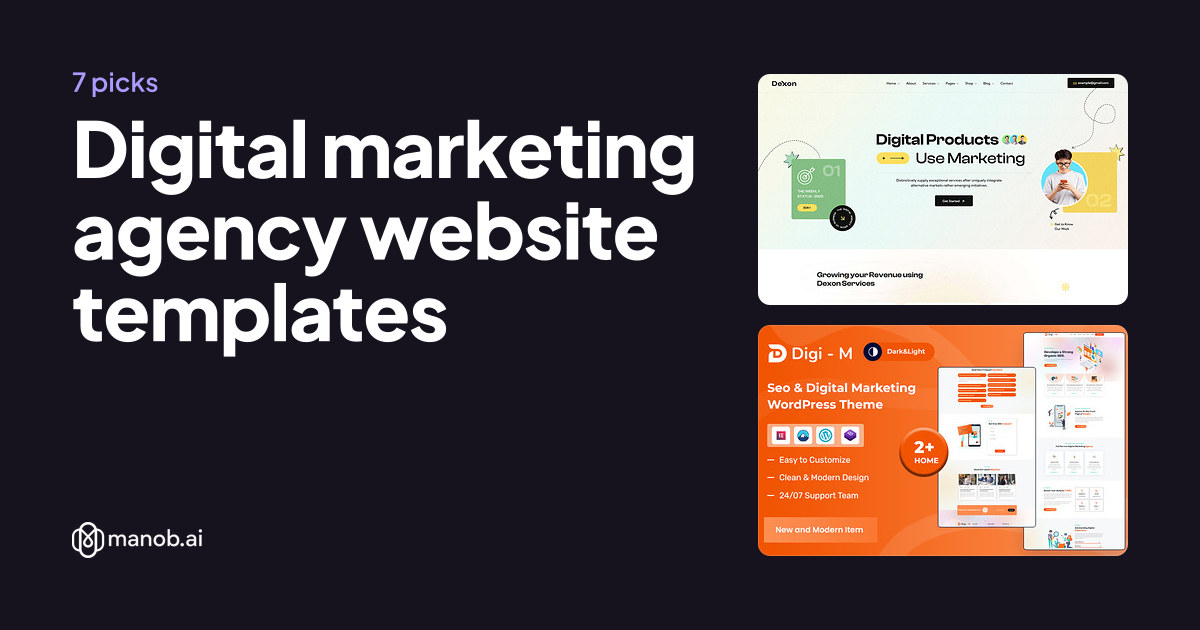
A digital marketing agency website template should show your services, your results and a clear way to get in touch before a visitor scrolls. We compared seven digital marketing agency templates on Manob, from WordPress themes to HTML5 templates. Pick WordPress if your team will edit pages often, and an HTML template if a developer will own the code.
A digital marketing agency website template is a ready-made site for a firm that sells search, social, paid media, content or email services. This guide compares seven picks on Manob. Each one carries a name that points to digital marketing, SEO or a marketing agency, so treat the list as a shortlist to preview, not a verdict on quality.
What should a digital marketing agency website include?
A marketing agency site needs a services page that names each channel you sell, a case study or results page, a team page and one contact path. Your visitor is usually a business owner comparing several agencies, so the template should make the next step obvious. Check that the demo has a service detail layout and a case study layout, not only a busy homepage.
How did we pick these seven?
Manob lists more than 600 products, and many carry agency labels. We kept the ones whose name or listing clearly points to digital marketing, SEO or a marketing agency, and left out general agency and portfolio themes. Every product on Manob is manually reviewed before approval, and every item can be previewed before purchase. Prices come from each seller's inventory and appear in the table below.
| Template | Type | Built with | Price from | Live demo |
|---|---|---|---|---|
| Agencya - Digital Marketing & SEO Agency WordPress Theme | WordPress theme | — | $39 | Demo |
| Dexo – SEO & Digital Marketing Agency HTML5 Template | HTML template | — | $29 | Demo |
| Digim – Seo Digital Marketing WordPress Theme | WordPress theme | Elementor | $61 | Demo |
| Toptuch – Digital Marketing Agency HTML5 Template | HTML template | — | $23 | Demo |
| Zomia - Digital Marketing & SEO Agency WordPress Theme | WordPress theme | Elementor | $49 | Demo |
| Zumla Marketing Agency HTML5 Template | HTML template | — | $23 | Demo |
| Pixelevo - Creative Digital Marketing Agency HTML5 Template | HTML template | — | $27 | Demo |
Do I need WordPress for a marketing agency site?
No, but WordPress is the easier choice when your team adds case studies, blog posts and landing pages every month. Three of the seven picks are WordPress themes and four are HTML5 templates. A WordPress theme is edited in the dashboard, so a non-technical owner can update pages once it's installed. An HTML5 template gives a developer full control of the code, but it has no editor for staff who aren't developers.
Which picks are built around SEO?
Four picks name SEO in the product name: Agencya, Dexo, Digim and the Zomia WordPress theme. Those names suggest a services page built around audits, keyword work and reporting. A name alone doesn't prove the demo has those pages, so open the preview and check the service list before you buy. If search is your only service, our SEO agency WordPress themes guide covers a narrower set.
Which picks suit creative or general marketing agencies?
Pixelevo is named for a creative digital marketing agency, while Zumla and Toptuch are named for marketing and digital marketing agencies. These suit a firm that sells brand, content and social work alongside paid campaigns. A creative firm with a portfolio-first site should also compare our advertising agency website templates, which lean toward campaign work.
Which license does an agency site need?
A Regular License covers a single end product where end users aren't charged. Your own agency site is one end product, so the Regular License fits. If you build a site for a client who charges its own customers, that client site needs an Extended License. Under either license, you can't redistribute the source files as they are. Every product lists both a Regular and an Extended price, so you can compare them in the table.
How should I compare the demos?
- Service page depth. Each service should get its own detail page, not one long list of bullets.
- Proof of results. Look for a case study layout with room for the client's goal, your approach and the outcome.
- A clear contact path. A short form or a "book a call" button should appear on the homepage without scrolling far.
- Blog layout. Agencies publish often, so a blog grid and a single-post layout matter more than a homepage variant.
- A named team. A team page with roles and photos helps buyers who compare several firms at once.
When should I pick something else?
A template won't write your case studies or set up your tracking. If your brand is unusual, a custom build from a designer will fit better than any template, and a pick here is only a starting point. Booking calendars, client portals and reporting dashboards come from separate software that you connect to the site. A small agency with a tight budget may also find a free WordPress.org theme enough, though it won't come with the same demo range.
Browse the full set of site templates on Manob if none of these seven fits. If your agency also sells software to its clients, SaaS website templates cover that case, and HTML5 templates explain the static option in more depth.
Frequently asked questions
What is the best website template for a digital marketing agency?
No single template suits every agency. Pick the one whose demo already has your services, case study and contact pages. If search is your main service, start with the SEO-named picks. For a creative firm, look at Pixelevo first. Open each preview before you buy, because demo layouts differ more than their names suggest.
Can I use a marketing agency template for an SEO-only business?
Yes, if the demo has service pages for search audits, keyword work and reporting. Templates named for digital marketing usually cover several channels, so remove the pages you don't sell. A dedicated SEO theme may suit you better if search is your only service, and it's worth comparing those before you commit.
Do I need a developer to set up one of these templates?
Not always. A WordPress theme is edited from the WordPress dashboard, so a non-technical owner can manage pages after installation. An HTML5 template needs someone who can edit HTML, CSS and the contact form. If you're unsure, ask a developer to set up the site once, then write new pages yourself.
Which license do agencies need for client work?
Your own agency site is a single end product where end users aren't charged, so the Regular License fits. If you build a site for a client who charges its own customers, that site needs an Extended License. Either way, the source files can't be redistributed as they are.
How long does seller support last after I buy?
Every purchase includes 6 months of seller support through Manob's built-in ticket system. You can extend it at 30% before the support expires, or at 75% after it expires. Check the current terms on the product page before you buy, since they can change.
How much do these templates cost?
Prices come from each seller's inventory and appear in the table above. Regular prices across Manob's catalog run from $9 to $93, with a median of $29. Extended prices are higher, and the table shows both for each product.