
Magazine WordPress Themes and News Templates: 11 Picks, Honestly Compared
By Manob Editorial ·
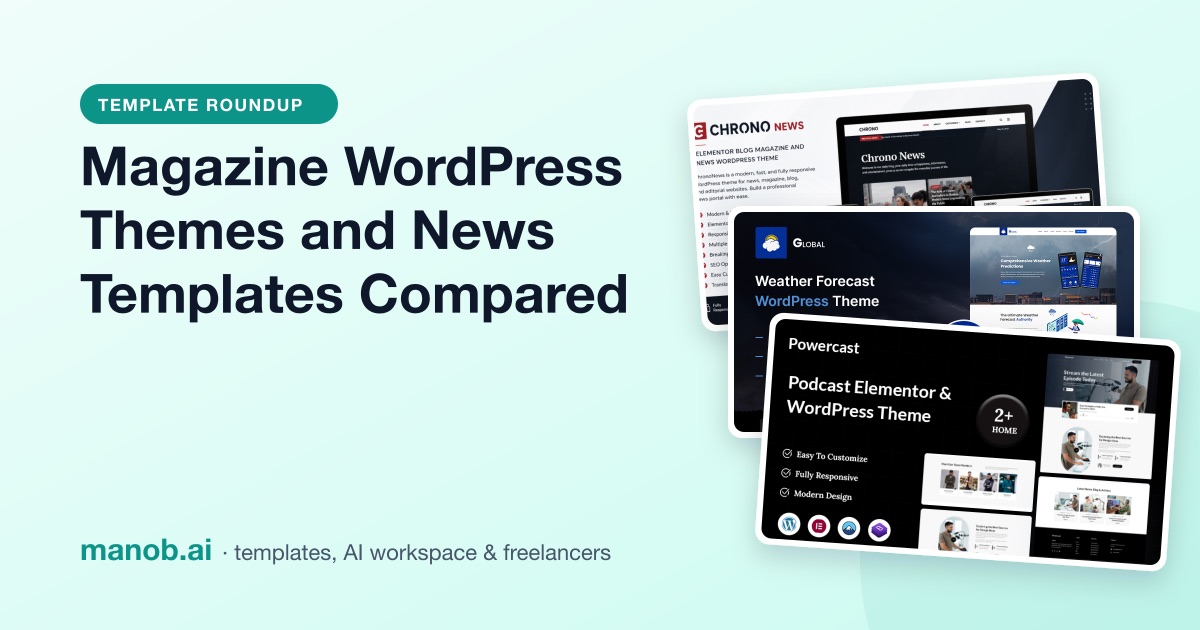
A good magazine WordPress theme gives you category-based homepage blocks, a breaking-news or trending strip, ad slots that don't push content around, and clean single-post pages that pass Core Web Vitals. We compared 11 news and blog designs on Manob. Chrono News is the dedicated WordPress pick; Trendexa and Inews offer more layouts outside WordPress.
What's in this list, and what isn't
As of October 2026, Chrono News is the only WordPress theme in Manob's catalog built specifically as a news magazine. The other three WordPress picks are niche publishing themes for weather, podcast and food content. If you're open to a non-WordPress build, Manob has stronger options: news and review templates in plain HTML and in Next.js, including one that ships with its own admin panel. We opened every demo on October 13, 2026 and left out anything that didn't load. If you want only free WordPress magazine themes, skip to When to look elsewhere.
| Template | Type | Built with | Price from | Live demo |
|---|---|---|---|---|
| Chrono News - Elementor Blog Magazine and News WordPress Theme | WordPress theme | Elementor | $63 | Demo |
| Global – Weather Forecast WordPress Theme | WordPress theme | Elementor | $39 | Demo |
| Powercast – Podcast Elementor WordPress Theme | WordPress theme | Elementor | $41 | Demo |
| Omi - Food Blog WordPress Theme | WordPress theme | Elementor | $51 | Demo |
| Trendexa — Fullstack Next.js Mobile Review and Gadget News CMS with Full Admin Panel | React template | Next.js | $44 | Demo |
| Trendexa — Modern Next js News and Product Review Template | Template | Tailwind CSS, Next.js, React | $45 | Demo |
| Inews Modern Responsive Newspaper NextJs Template | React template | Next.js, React | $21 | Demo |
| Trendexa - Modern HTML News and Product Review Template | HTML template | — | $30 | Demo |
| Inews Modern Responsive Newspaper Template | Template | — | $16 | Demo |
| News24 - Responsive Newspaper and News Magazine Template | HTML template | — | $23 | Demo |
| Themeparker Blog and Portfolio Responsive HTML Template | HTML template | Bootstrap 5 | $9 | Demo |
Magazine and blog WordPress themes
Chrono News: best for a general news or magazine site on WordPress
Chrono News is the one true magazine theme here. Its listing covers multiple homepage content sections, featured and trending areas, breaking news ticker support, category-based news blocks, custom advertisement sections, widgetized areas and translation readiness, and names multi-author sites among its uses. It's built for Elementor, and the demo shows category sections such as News, Lifestyle and Journey. Use it for a tech, sports, business or lifestyle publication that runs several sections at once.

ChronoNews is a modern and responsive WordPress news and magazine theme designed for publishers, bloggers, online magazines, tech websites, and news portals. It features multipl…
Global Weather Forecast: best for a local news or weather site
This is a niche pick for weather publishers and local news hubs. The demo has News, Weather in Pictures and Global Weather Videos sections, a location search box, and forecast-style posts for hourly, daily and extended forecasts. Manob marks it Elementor- and WPML-compatible. The listing also promises real-time updates and interactive maps; check in the demo how much of that is live data and how much is placeholder content before you count on it.

The Weather Forecast WordPress Theme - your ultimate solution for seamlessly integrating weather updates into your website. Whether you're a travel blogger, a news portal, or a…
Powercast: best for an audio-first publication or podcast
Manob files Powercast under News and Editorial, and it suits publishers whose main format is episodes. The demo has three episode list layouts (excerpt, basic and standard), a single-episode page, and grid and two-column blog archives for show notes. The listing describes Elementor widgets and compatibility with podcasting plugins, and Manob marks it WPML-compatible.

Powercast is a modern, fully customizable Elementor WordPress theme designed specifically for podcasters, radio hosts, and audio content creators. With its sleek layout and podc…
Omi: best for a food or recipe blog
Omi is a single-topic blog theme rather than a multi-section magazine. Its listing describes a recipe showcase with ingredients and step-by-step instructions, a "Chef's Corner" section and an Instagram feed, and the demo organizes posts into categories such as Breakfast, Healthy and Sea Food. If food is your beat, our restaurant WordPress themes roundup covers the venue side.

Embark on a gastronomic journey like never before with Omi, a meticulously crafted Food Blog WordPress Theme. Whether you're a seasoned chef, a passionate home cook, or a food e…
News templates if you're not set on WordPress
These aren't WordPress themes, so you won't get the WordPress editor or its plugins. In exchange you get static sites with no plugins to patch, plus one Next.js app that brings its own admin panel. If your team is comfortable with code, they're worth a look. Our React and Next.js templates guide and HTML5 templates hub cover these formats in more depth.
Trendexa Fullstack CMS: best if you want a news site with its own admin panel
This is the closest thing here to a WordPress replacement. It's a full-stack Next.js app with TypeScript, Prisma and PostgreSQL, Auth.js login and a role-based admin panel. Editors can manage articles, reviews, guides, web stories, categories, brands, ads, users, SEO settings and newsletter subscribers. The listing also covers sitemap generation and robots configuration. It's built around phone and gadget coverage, so plan to rework the product-spec features if you cover other topics.

Trendexa is a fullstack Next.js + TypeScript CMS for mobile-tech publishers. Launch a modern gadget site with product listings, detailed reviews, comparisons, buying guides, new…
Trendexa Next.js: best for a static tech-review magazine
The front end without the back end. It uses Next.js 14, TypeScript, Tailwind CSS and shadcn/ui, has 20+ pages including news, reviews, how-to guides, web stories and brand directories, and includes a side-by-side comparison tool. Static HTML export means you can host it almost anywhere. Content lives in files, so someone has to commit each article.

Trendexa is a premium Next.js template for tech gadget news, reviews, and product comparisons. Built with TypeScript, Tailwind CSS, and shadcn/ui, it includes 20+ pre-built page…
Inews Next.js: best for a newspaper layout in React
Inews's Next.js version uses Bootstrap 5 and includes post and news category templates. The demo menu shows nine home layouts, three category layouts, three post layouts and a mega menu, which is a lot of layout choice for a newsroom front page.

Inews is a responsive React NextJS template for news, blog, and magazine websites. The user can use it especially for online magazines, blogs, and newspaper platforms.
Trendexa HTML: best for an ad-funded review or affiliate blog
The plain HTML edition of Trendexa. Its listing calls out advertisement-ready banner sections, product review and comparison sections, category pages, and ready legal pages (privacy, cookie policy, disclaimer, sitemap and contact). The demo loads Bootstrap 5.3.2.

Trendexa is a modern HTML template designed for mobile, gadget, and tech review websites. It features multiple layouts, product comparisons, reviews, news, and web stories, maki…
Inews HTML: best for a classic newspaper front page
The listing describes five home styles, three category styles, three news post styles, five masonry news styles, two weather widgets and Default, Black and Materials versions. The live demo goes further, with nine home pages and separate RTL and dark demos. The listing's feature list says Bootstrap 3.3.7, but the demo loads Bootstrap 5.3.1, so if the version matters to you, ask the seller which one ships.

I-News is a responsive HTML news, blog, and magazine template. The user can use it, especially for magazines, blogs & newspapers online. It seems that your given text is too bri…
News24: best for a TV-channel style news site
News24 copies the structure of a TV news channel's website. It has a breaking news ticker, a sticky header, home layouts with left or right sidebars, and 7+ HTML files. It's built on Bootstrap 3, which is old; choose it for the look, and expect to modernize the code if you plan to extend it.

You can reach us just mail us . Support for our customers is provided on business days: Mon-Fri 10:00am-6:00pm (GMT +1). Standard reply time is within 24-48 hours.
Themeparker: best for a personal blog with many post formats
Themeparker is a blog, not a newspaper. It has 22 HTML pages, seven homepage layouts (standard, list, grid, three-column and masonry among them) and six post formats: standard, image, gallery, slider, video and audio. It runs Bootstrap 5.3.1 and jQuery 3.7.1 and adds resume and portfolio pages.

Welcome to Themeparker, recently launched Blog, Resume & Portfolio template by Themeparker! It's an easily manageable HTML template with numerous features, like news post, video…
How to choose a magazine WordPress theme
- Category layouts that fill themselves. Homepage blocks should pull the latest posts from a category automatically. If every block has to be filled by hand, your front page will go stale.
- Ad slots with fixed sizes. Ads that load late and push text down hurt readers and your Cumulative Layout Shift score. Google suggests keeping CLS under 0.1 (Core Web Vitals). Look for ad areas that reserve their space, ideally as widget areas you can fill with any ad code.
- Speed on article pages, not just the homepage. Most traffic lands on single posts. Run a demo article through PageSpeed Insights and aim for the largest element to load within 2.5 seconds. Page builders such as Elementor can add weight, so test before you commit.
- Post formats you'll actually use. Video, gallery and audio posts need their own templates. Check that the demo has a single-post layout for each format you publish.
- Bylines and author pages. Multi-author publications need author boxes and author archives. They also help readers and search engines see who wrote what.
- AMP is a plugin decision, not a theme feature. Choose a fast theme first. If you later decide you want AMP pages, a plugin can add them.
- Article structured data. Don't expect the theme to add Article or NewsArticle markup; an SEO plugin usually handles it.
Ready to set one up? Here's how to install a WordPress theme manually, and what WordPress themes cost if you're comparing budgets.
Regular vs Extended License
Every product on Manob has two license prices. The Regular License covers a single end product where your end users aren't charged, which covers a free-to-read magazine funded by ads. The Extended License is for an end product whose users are charged, so pick it if readers pay for access. Neither lets you redistribute the source files as they are. Every purchase includes 6 months of free seller support through Manob's ticket system, and you can extend it. You can preview every item before you buy, and every product is manually reviewed before approval.
When to look elsewhere
- You want a free magazine theme. Everything on Manob is paid; prices across the catalog run from $9 to $93. As of October 2026 the WordPress.org directory listed 2,081 themes under its News tag and 7,434 under its Blog tag, and the directory requires every theme to be 100% GPL or GPL-compatible.
- You want many premium WordPress magazine themes to compare. Manob has one dedicated option. ThemeForest's WordPress Blog and Magazine category listed 1,021 items as of October 2026. Our ThemeForest alternatives post compares the marketplaces.
- You need paywalls or memberships. A theme won't do that on its own. Plan for a membership plugin, and check that it works with the theme you choose.
- You run a large newsroom. Dozens of editors, live blogs and syndication feeds usually need a custom build or an enterprise publishing platform, not a marketplace theme.
You can also browse every WordPress theme on Manob or the HTML site templates.
Frequently asked questions
Are there free WordPress magazine themes?
Yes. The WordPress.org theme directory has thousands of free themes tagged News or Blog. Manob's themes are paid, but every live demo is free to open.
What is the difference between a blog theme and a magazine theme?
A blog theme shows posts in one stream, newest first. A magazine theme splits the homepage into category blocks, featured and trending areas and ad slots, so several sections are visible at once.
Which WordPress theme is best for a news website?
On Manob, Chrono News is the theme built for news: it has a breaking news ticker, category news blocks and advertisement sections. For weather or podcast news, Global Weather Forecast and Powercast are niche alternatives.
Can I run ads on a magazine WordPress theme?
Yes. Look for advertisement sections or widget areas in the header, sidebar and between posts. Give each slot a fixed size so ads don't shift the layout as they load.
Should I use WordPress or a Next.js news template?
Use WordPress if non-technical editors publish every day and you want plugins. Use a Next.js template if developers run the site and want speed and full control; the Trendexa Fullstack CMS adds an admin panel so editors aren't locked out.