
Spa Website Templates for Spas, Salons and Barbershops
By Manob Editorial ·
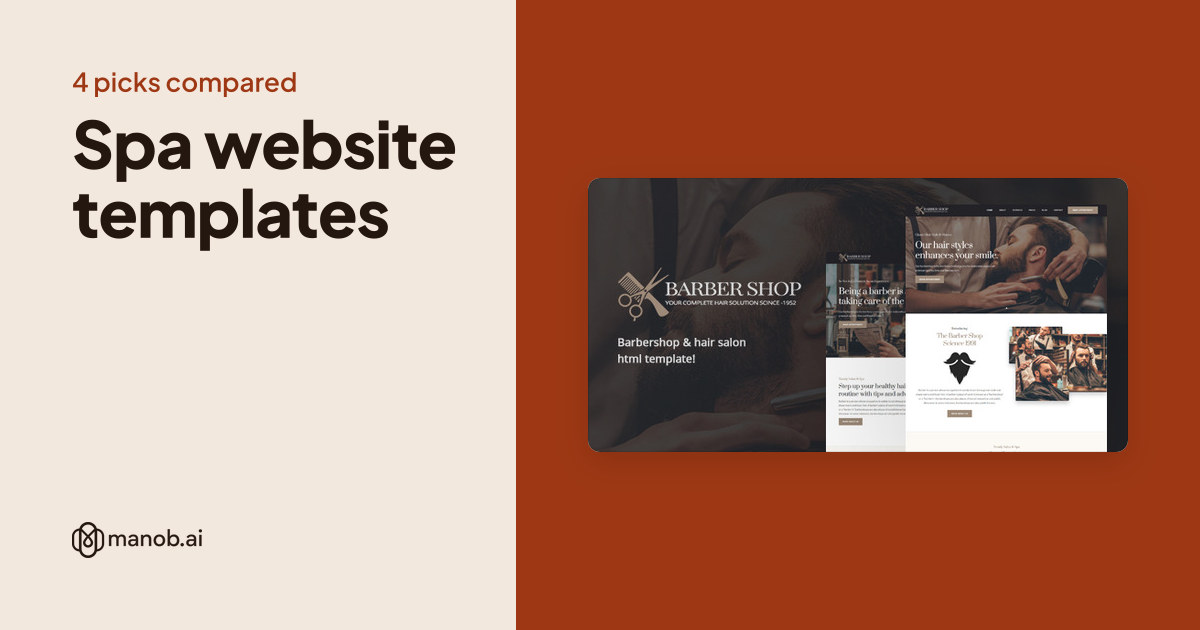
A spa website template gives a spa, salon or barbershop a home page, a service menu, a team page and a booking button in one design. Manob lists four templates for this family. Only one is named for a spa, so the others are salon and barbershop designs for a shorter service list.
A spa website template is a pre-built site for a spa, salon or barbershop. Clients visit these sites to see treatments, prices and availability before they book. This guide compares the four templates on Manob that fit that job, says when each suits, and notes the limits. Our beauty salon WordPress guide covers the WordPress picks in more depth, so this one focuses on site templates in general.
| Template | Type | Built with | Price from | Live demo |
|---|---|---|---|---|
| BarberShop & Hair Salon HTML Template | HTML template | — | $21 | Demo |
| Hairling – Hair Salon and Hairdressers Cutting WordPress Theme | WordPress theme | — | $39 | Demo |
| Spaclub – Beauty Salon & Spa Resort WordPress Theme | WordPress theme | — | $49 | Demo |
| Sentobar - Barbershop WordPress Theme | WordPress theme | — | $63 | Demo |
Can a spa website template show prices and take bookings?
It can show prices and a booking button. Live appointment booking, with staff calendars, reminders and deposits, needs a scheduling tool that you connect to the site. Templates usually leave that connection to you, so choose the scheduling tool before you settle on the design. Then check that the template has a place for the tool's embed or link on the booking page.
Which template is closest to a spa?
The Spaclub template is the only one on Manob named for a spa and resort. Its name suggests a beauty salon and spa, so start there if you offer massage, facials or other wellness treatments. Check the treatments page first, because a spa menu is usually longer and more detailed than a barbershop price list.
Spa and resort template
Spaclub Beauty Salon and Spa Resort WordPress Theme: best for a spa with a full treatment menu
This WordPress theme is named for beauty salons and spa resorts, so its service pages are the most likely to match a spa menu. As a WordPress theme, it lets you add treatments, offers and staff profiles through a dashboard. The trade-off is upkeep. Keep the theme and plugins updated, and test your booking form after each update. If you already run a spa, check whether the theme's sections match your current price list before you commit.
Salon and barbershop templates
The three templates below are built for hair salons and barbers. Their names point to a smaller service list, so they suit a business where clients choose a cut, a colour or a shave rather than a long spa menu.
BarberShop and Hair Salon HTML Template: best for a small barber or salon
This is a static HTML template, so it needs no database and runs on almost any web host. It suits a small shop that changes its prices and staff rarely. Editing means changing the HTML files or using a simple editor, which is fine if someone on the team is comfortable with that. Our guide to editing a Bootstrap template explains the basic steps.
Hairling Hair Salon and Hairdressers WordPress Theme: best for a salon that updates often
Hairling is a WordPress theme named for hair salons and hairdressers. It suits a salon that adds new stylists, seasonal offers or a gallery of recent work. WordPress lets the team edit these through a dashboard, so you do not wait on a developer for small changes. Check the gallery layout on a phone, since many clients browse from one before they visit.
Sentobar Barbershop WordPress Theme: best for a barber with a short menu
Sentobar is a WordPress theme named for barbershops. A short price list, a booking button and a few staff profiles are often all a barber needs, and this theme is built around that shape. If you offer a long list of spa-style treatments, a barbershop theme will feel thin, so choose the Spaclub template instead.
HTML or WordPress for a salon site?
Choose HTML when the site changes rarely and you want few moving parts. Choose WordPress when staff update prices, offers or photos every week and want a dashboard. The visitor sees a similar page either way. The choice decides who maintains the site and how easily it changes. For a wider look at static templates, see our HTML5 templates guide.
What to check before you buy
- A clear price or service list. Clients decide faster when they can see what a cut or treatment costs. Check the template has a place for a price table or service list on the main page.
- Staff profiles. Many clients choose a stylist or therapist first. Confirm the template has a staff page with photos and a short bio.
- A booking button on every page. Place it in the header, so a client can book from any page.
- Gallery space. Before and after photos or treatment shots sell the service. Check the gallery handles several image shapes without cropping them badly.
- Opening hours and location. Put these in the header or footer, with a map or address link.
When a template won't fit
A template gives you a design and a set of pages. It does not manage staff rotas, deposits, memberships or retail stock. If you need those, buy scheduling or salon software and connect it to the site. Selling products online also needs a store set-up, so check whether the template includes a shop before you count on it. A template also works poorly if your brand depends on an unusual layout. A custom build costs more but fits better. Our guide to customizing a WordPress theme shows how far a template can be changed before a rebuild makes more sense.
If none of these fits your salon, browse every site template on Manob. Each product can be previewed before purchase, so open the live demo and check it on a phone.
Regular vs Extended License
The Regular License covers a single end product where end users aren't charged. A salon's own website is normally that kind of product. The Extended License applies when end users are charged, for example through a booking or payment form that takes money from clients. Neither license lets you redistribute the source files as they are. If you build sites for other salons, each one is a separate end product, so check the terms for each. Purchases include 6 months of free seller support through Manob's ticket system. The Regular vs Extended License guide has the full comparison.
Frequently asked questions
What is a spa website template?
A spa website template is a pre-built site design for a spa, salon or barbershop. It usually includes a home page, a service or treatment list, a team page, a gallery and a contact page. You replace the placeholder text and photos with your own, and the layout stays. It saves design time, but the site still needs accurate prices and real photos to convince a visitor.
Is there a spa template that also takes bookings?
Templates show a booking button and a form, but the live calendar usually comes from a separate scheduling tool. Choose the tool first, then check that the template has space for its embed or link. Test a booking yourself before launch, and confirm the notification reaches the right person.
Which is better for a barbershop, HTML or WordPress?
Neither is better in general. An HTML template suits a barber who changes prices and staff rarely and has someone to edit the files. A WordPress theme suits a shop that updates its offers, photos and staff often and wants a dashboard. Pick the option your team can keep up to date, because an out-of-date price list hurts trust.
Can I use a salon template for a spa resort?
You can, but check the treatment pages first. A resort needs room for accommodation, a longer menu and often a separate booking flow. The Spaclub template is named for a spa resort, so it is the better starting point for that kind of business. Test the booking page with a realistic menu before you commit.
Does a template include a privacy policy?
A template may include a page layout for privacy text, but it does not write the policy. Your policy depends on what data your business collects, such as client details or booking information, and on the rules in your country. Ask a qualified adviser to review it before the site goes live.
Can I build a website for other salons with one template?
Not on one license. Each client site is its own end product, so each one needs a license that fits how it is used. You may not redistribute the source files as they are. Keep a record of which license covers each client site, and read the Extended License terms for any site that charges its own clients.