
Phone Repair Website Templates: 6 HTML and WordPress Picks for Repair Shops
By Manob Editorial ·
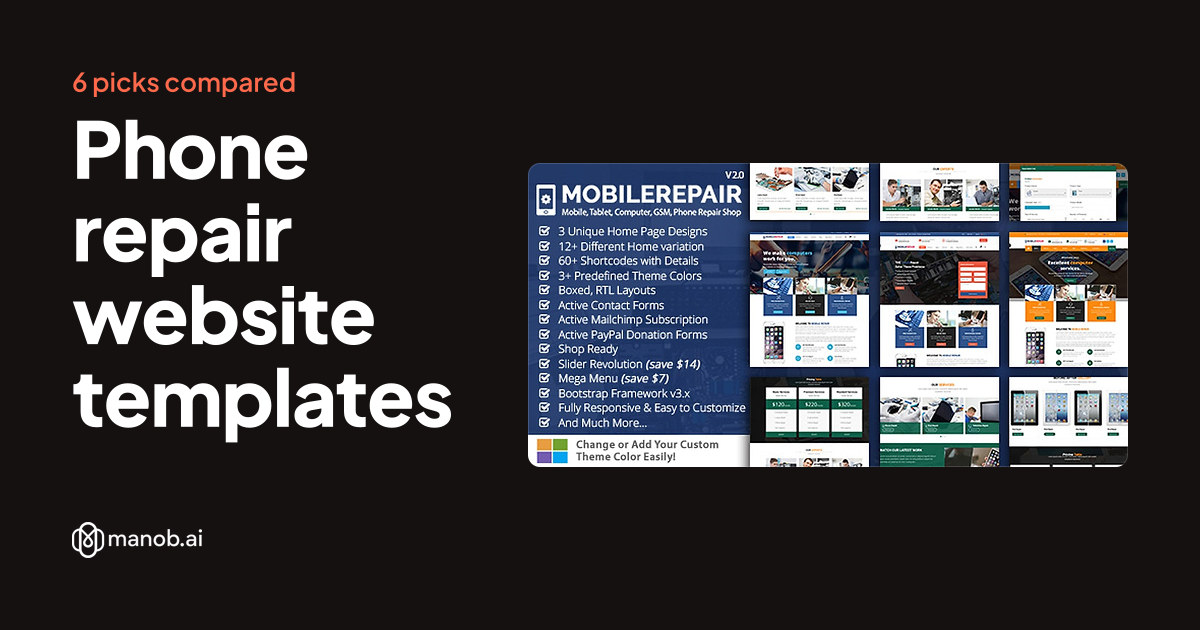
A good phone repair website template lists the common fixes, makes the contact or booking step easy on a phone, and shows where your shop is. We compared six options on Manob: Mobile Repair and Refit as HTML templates, DreamHub Electronics Repair as a plain HTML5 pick, and Gadgetfix, Gadgetcare and Prepair as WordPress themes.
What a phone repair website needs
People who search for a phone repair shop usually have a cracked screen or a dead battery and want an answer fast. They are often on the phone they are trying to fix, or on a second one. That shapes what the site must do in the first few seconds.
- A clear list of repairs. Screen, battery, charging port, water damage, and the device brands you handle. A visitor should see their problem named on the first screen.
- A way to reach you without friction. A tap-to-call number, a short inquiry form, or a booking step. If walk-ins are welcome, say so and show opening hours.
- Location and trust. A map, your address, and a page about who does the work. Repair is a local business, so a Google Maps block matters more here than a fancy slider.
- Turnaround and process. A short explanation of how a repair works, from drop-off to pickup, answers the questions you would otherwise get by phone.
- Optional shop pages. Accessories, cases and refurbished devices need a cart and checkout, or at least a product grid.
- A blog. Short posts on common fixes and care tips give search engines something to index and give customers a reason to trust you.
All six templates below are listed on Manob and can be previewed before you buy. Each item is manually reviewed before it goes live. We describe each one from its listing and demo details, not from a hands-on build, so open the live demo for any pick you like and check that the pages you need are there. Our auto repair website templates roundup covers the neighboring niche of garages and car service, and it makes a good comparison if you also fix larger machines.
Phone repair templates compared
The table shows type, price and a link to each listing. The sections after it explain who each one suits and where it falls short. Browse everything in the category on the site templates listing, or see the WordPress side on the WordPress themes listing.
| Template | Type | Built with | Price from | Live demo |
|---|---|---|---|---|
| Mobile Repair HTML Template | HTML template | — | $18 | Demo |
| Refit - Mobile Repair HTML Template | HTML template | — | $18 | Demo |
| DreamHub Electronics Repair HTML5 Template | HTML template | — | $27 | Demo |
| Gadgetfix - Phone and Gadget Repair Service WordPress Theme | WordPress theme | — | $51 | Demo |
| Gadgetcare - Phone and Gadget Repair Service WordPress Theme | WordPress theme | — | $51 | Demo |
| Prepair - Electronics Repair & Cell Phone Service Center WordPress Theme | WordPress theme | — | $30 | Demo |
HTML templates for phone repair shops
An HTML template is a set of static files you edit and upload to any host. It loads quickly, has no plugins to update, and suits a shop whose service list changes a few times a year. The trade-off is that you change text and prices in code, and a contact form needs a handler behind it. Our HTML5 templates guide explains the basics, and how to edit a Bootstrap template walks through the first edits.
Mobile Repair HTML Template: best for a shop that also sells accessories
This is the widest of the three HTML options. Its listing shows 348+ HTML files with a long list of demo layouts: 3 index multipage demos, 3 index single page demos, 6 dark, 6 boxed and 6 RTL index demos, plus 14 home variations. That range lets you pick a look that fits your brand before you write a line of code. It is aimed at cell phone, computer and electronics repair, and the description mentions digital cameras and laptops too.
Two features stand out for a repair business. Shop cart and checkout pages are included, so a shop that sells cases, chargers or refurbished phones has a starting point. And Google Maps supports multiple locations, which helps if you run more than one counter. The Ajax contact form has validation, and the layout is responsive with retina-ready icons.
The limits are the age of the stack and the size. The template uses Bootstrap 3, which is old, and a package this large is more than a single-counter shop needs. The cart and checkout are page designs; you will need to connect a store or payment service to take orders. Demo photos are not bundled, so bring your own pictures.

Mobile Repair is an HTML template for cell phone, computer and electronics repair shops, with 348+ HTML files, RTL, dark and boxed demos and a shop checkout.
Refit: best for a small repair shop that wants a simple, current build
Refit is the compact option. The listing shows 10+ HTML files with a one-page demo and a multi-page demo, so you can choose between a single scrolling page and a small site. It is written for computer, mobile and electronic repair services. A Revolution Slider and a Menuzord responsive megamenu handle the banner and navigation, a working Ajax contact form includes validation, and Google Maps is built in.
Refit is built on Bootstrap 5, which is a newer base than the Mobile Repair template. That makes it a better fit if a developer will maintain the code. It suits a shop that needs a homepage, a services section, a contact page and a map, and nothing more. The honest limit is scope: with 10+ files there is no shop, no booking system and no pricing page listed, so anything beyond the basics is work you add yourself. Demo photos are listed as free photos, so plan to replace them with your own shop and team pictures.

Refit is a responsive HTML template for computer, mobile and electronic repair services. It includes 10+ HTML files with one-page and multi-page demo options.
DreamHub Electronics Repair: best for a shop that wants pricing and FAQ pages ready
DreamHub is the one pick where the listing names the pages. The demo has Home, About Us, Services, Services Details, Team, Pricing, FAQs, Shop, Blog, Blog Grid, Contact Us and My Account pages. For a repair shop, the Services Details, Pricing and FAQs pages do real work: they let you describe each repair, state what it costs and answer the usual questions before a customer calls. The seller describes it as responsive and simple to customize, and the code is plain HTML5 that you edit directly.
Be aware of what the description leaves out. It does not name a CSS framework or a JavaScript library, and it gives no browser support or documentation details, so the live demo is where to judge the layouts. The Shop and My Account pages are design pages, not a working store. Support questions go through the manob.ai ticket system, and the description notes help is available for 6 months after purchase. Check the license terms before you decide: a Regular license covers one end product that is free to end users, and an Extended license covers products that charge users.

An HTML5 website template for repair shops and other electronics firms that want one site for the company and its clients. The code is clean, and the design can match your own l…
WordPress themes for phone repair shops
A WordPress theme suits an owner who wants to edit pages without code, add a booking plugin, or publish blog posts often. All three themes below use Elementor, so repair menus and service sections can be built by dragging blocks. Our Elementor WordPress themes roundup explains what that means for day-to-day editing.
Gadgetfix: best for a repair business that wants many homepage choices
Gadgetfix is a phone and gadget repair theme built with Elementor. Its listing shows 12 multi homepage demos and 20+ inner pages, which is a lot of ready layouts to start from. A built-in mega menu helps organize a long repair list, for example by device or by type of fix, and there are multiple blog layouts for tips and updates. One-click demo import brings the demo content into your site, so you can start from the finished look and replace the text.
It lists WooCommerce 9.x and 8.x compatibility, so a small parts or accessories shop is possible, and WordPress 6.5.x to 7.0.x. It is built on Bootstrap 5.x and lists child theme compatibility, which keeps your custom changes separate when the theme updates. The limit: the listing names a blog page but no booking system, so appointments need a plugin or a plain inquiry form. Demo images should also be replaced with your own.

Gadgetfix is an Elementor WordPress theme for phone and gadget repair services. It includes 12 multi homepage demos, 20+ inner pages, a built-in mega menu and WooCommerce 9.x co…
Gadgetcare: best for a technician who needs inquiry forms and fonts to match a brand
Gadgetcare targets phone, gadget and electronics repair, including independent repair professionals. It has 2 index home layouts, 30+ Elementor shortcodes and a Revolution Slider for banner areas. Contact Form 7 and WPForms are both supported, so customers can send an inquiry from a form you design, and MailChimp newsletter signup forms are included. It also lists 800+ Google fonts and several icon sets, which gives you room to match a logo.
It lists RTL support, WPML readiness for a multilingual site, and WooCommerce readiness. The code uses Bootstrap 5.x, so a developer can extend it. The honest limits: two home layouts is a smaller choice than Gadgetfix offers, and the demo images are not part of the final files, so you supply your own device and service photos. The listing names no booking feature either, so plan on forms or an add-on.

Gadgetcare is a WordPress theme for phone and gadget repair services. It suits service centers and repair professionals who want a site with 2 home layouts, Elementor support an…
Prepair: best for a shop that wants bookings and a tips blog
Prepair is the only pick here whose listing names an integrated booking system. It also has service showcase sections, customer testimonial sections and a blog for tips and updates. Its listing includes templates for mobile stores and computer repair, which suits a shop that handles both phones and laptops. A child theme is included for custom changes, and the listing says images are included, which saves some sourcing work.
It is built on WordPress and Elementor, with Bootstrap for layout and the Redux options framework for settings. It is compatible with Contact Form 7, MailChimp for WordPress, WPML, Polylang and Loco Translator. Lifetime theme updates, documentation and a video tutorial are listed. Note that the testimonial sections are layout blocks; the quotes in the demo are placeholders, and you should only publish real customer feedback. The listing does not describe how the booking system handles payments or calendars, so check the demo before you rely on it.

Prepair is a WordPress theme for electronics repair shops and cell phone service centers. It includes a booking system, service showcases and a blog, and suits repair businesses…
How to choose a phone repair template
- Pick the platform first. If you are comfortable editing files, or hiring someone who is, an HTML template is light and fast. If you want to edit text, add a plugin or publish posts yourself, choose WordPress. Our HTML templates vs WordPress themes guide goes through the trade-offs.
- Decide how customers will reach you. A phone number and a form are enough for many shops. If you want customers to choose a slot, Prepair is the one listing a booking system. With the others, add a booking plugin or link out to a booking service.
- Decide whether you sell products. Mobile Repair lists cart and checkout pages, DreamHub has a Shop page, and the Gadgetfix and Gadgetcare listings mention WooCommerce. A repair-only shop can skip all of that.
- Check the pages you need. Open each live demo on your own phone. Look for a services list, a price page, a map and a contact step, then note what you would have to build.
- Plan your photos. Several listings say demo images are not included. Budget time to shoot your counter, your team and finished repairs.
- Read the license. Manob sells Regular and Extended licenses, explained on the licenses page. A single shop site is usually a single end product, but confirm which license fits.
If your business also covers the business side of a wider site, our business website templates roundup has broader layouts, and the guide to customizing a WordPress theme helps once you pick a WordPress option.
When to look elsewhere
This is a short list. Only six items fit phone repair closely, so if you want a wider choice of looks, a bigger marketplace will show more. If you only need a page with your hours, a phone number and a map, a free theme from the WordPress.org directory may do the job, and a hosted builder gets a basic site online without handling files or updates. A Google Business Profile also does a lot of local work for a repair shop and costs nothing, so set one up whichever template you choose. If you need online payments, repair tracking or ticketing, none of these templates replace dedicated shop software; use them for the public site and link out to the tool.
Frequently asked questions
What pages should a phone repair website have?
At minimum: a home page, a services page that names the common repairs, a contact page with your address, hours and a map, and an about page. Add a pricing page, an FAQ and a blog as you grow. DreamHub's demo lists most of these pages already.
Can I take bookings with these templates?
Prepair lists an integrated booking system. The other five templates list contact forms, and some list WooCommerce or shop pages, but no booking feature. For those, add a booking plugin on WordPress or link to a booking service from a button on the page.
Do I need WordPress, or is HTML enough?
HTML is enough for a small shop with a stable service list, and it loads quickly. WordPress is easier if you want to edit pages and publish posts without touching code, and it has plugins for forms and bookings. Both work for a repair shop.
Can I preview a template before I buy?
Yes. Every item on Manob has a live demo you can open before purchase. Check it on your own phone, since most of your customers will see the site that way.
Are the demo photos included?
Several of these listings say demo images are not part of the download, so plan to use your own photos. Prepair's listing says images are included, but you should still replace them with real shots of your shop.