
How to Sell WordPress Themes: Build, Package, Price and List
By Manob Editorial ·
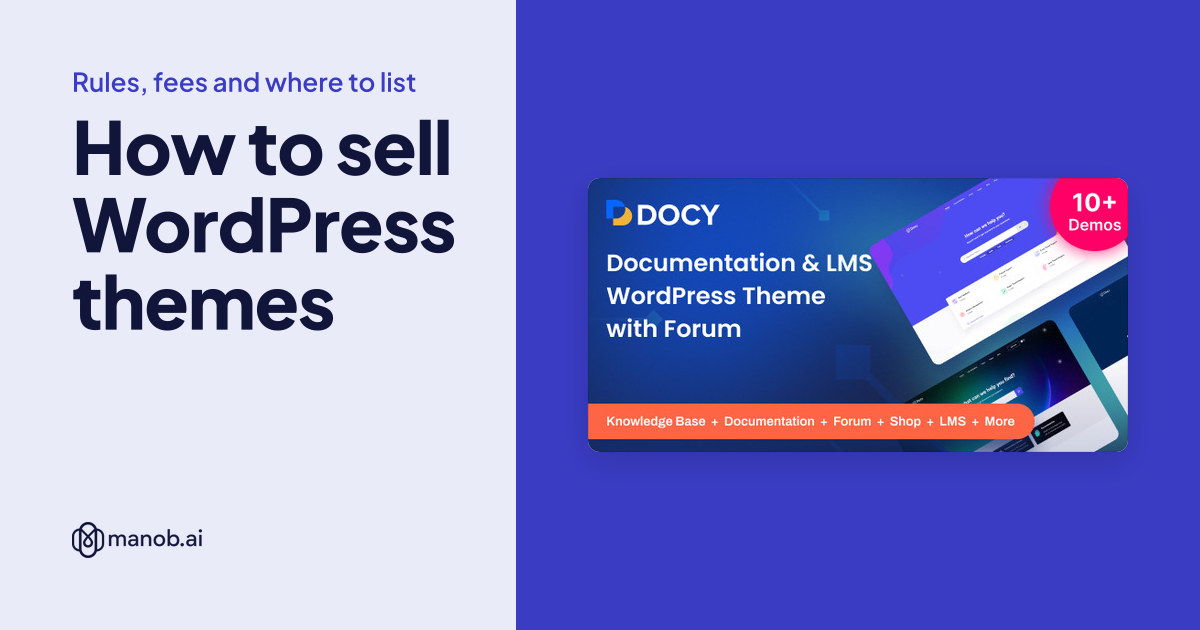
To sell WordPress themes, build a GPL-compatible theme that passes Theme Check and the Theme Unit Test data, then package it with online documentation, a child theme and a live demo. List it where buyers already shop. As of October 2026, ThemeForest isn't accepting new theme authors, so a new seller's main options are Creative Market, manob.ai, Gumroad and WordPress.org.
Every platform fact below comes from that platform's own pages, checked on October 14, 2026. Fees and entry rules change, so each one is linked. If you sell other kinds of templates too (HTML, React or Figma), our guide to selling website templates covers those formats.
Where can you sell WordPress themes?
The main change this year is at Envato. Its help center says author applications are paused: "new author accounts can't be created at this time," joining is by invitation only, and Envato is "not inviting authors into Theme, Code, Photo, Audio, or Graphics." Existing ThemeForest authors keep selling, but a new seller can't open an account there today.
| Platform | How you get in | Platform's cut | Review of each theme | Worth knowing |
|---|---|---|---|---|
| ThemeForest | Invitation only; no new theme authors for now | 50% author fee on your item price, with a buyer fee added on top | Yes, up to 14 days | Non-exclusive; you can sell elsewhere |
| Creative Market | Shop request reviewed by a person, with a portfolio | Shops earn 50% of list price by default; rates vary per shop or product | No; products go live once your shop is open | Your price there can't be higher than your lowest price elsewhere |
| Gumroad | Your own storefront | 10% + $0.50 on direct sales; 30% on sales through Discover | Not listed | No monthly fee; Gumroad handles sales tax as merchant of record |
| WordPress.org | Upload to the theme directory | None; themes are free | Yes, by the Themes team | Strict rules on GPL, upselling and bundled plugins |
| manob.ai (ours) | Seller account | 35% commission on products, 20% on services | Yes, every product is reviewed manually | Non-exclusive; 6 months of seller support included with each product |
Sources: Envato's earnings guide, review FAQ and Market Author Terms; Creative Market's shop request page, commission page, review policy and pricing consistency rule; Gumroad pricing; WordPress.org's getting started page.
What you keep from a $50 sale
Before taxes and payment fees, as of October 2026:
- Gumroad, direct link or profile: $44.50
- Gumroad, buyer found you on Discover: $35.00
- manob.ai: $32.50 (35% commission)
- ThemeForest: $25.00 on a $50 item price; the buyer fee goes to Envato. Envato's worked example also deducts withholding tax where it applies.
- Creative Market: $25.00 at the default 50% split
- WordPress.org: $0. A free theme earns through a premium version, add-ons or paid customization.
The percentage is only half of it. Gumroad takes the smallest cut, but you bring every buyer yourself. A marketplace cut buys you its search traffic. We compare more seller options in ThemeForest alternatives.
Step 1: Build the theme to marketplace standards
Envato's WordPress theme requirements are a detailed public checklist, and they're worth following even if you never sell there. From Part 1:
- Fix every REQUIRED notice in the Envato Theme Check plugin. Envato says "there are no longer any allowable exceptions."
- Test against the WordPress Theme Unit Test data: sticky posts, long unbroken titles, missing body text, paging and empty search results must all display correctly.
- Send no data to any server, yours included, unless the user opts in. Update checks are the only exception.
- Purchase-code "keygates" may lock only the update mechanism, demo import and bundled plugin installs. Theme options can't sit behind one.
- No ads or upsells for premium services inside WP Admin.
- Documentation must be online and public, not behind a purchase code.
The WordPress.org theme requirements (last updated June 9, 2026) add accessibility rules: a skip link and visible keyboard focus. They also require that tracking be "disabled by default and opt-in only." A theme with 3 or more distinct issues may be closed as not approved, though you can resubmit after fixing them.
Two habits save support tickets later. Keep features like custom post types and shortcodes in a companion plugin, so buyers don't lose content when they switch themes. And test on the PHP and database versions WordPress.org recommends, so the theme works on a current hosting setup.
Step 2: Get the licensing right
WordPress is licensed under the GPL, and that reaches your theme. Envato's split licensing page explains the usual setup: the PHP code and integrated HTML must be distributed under the GPL, while your CSS, images and design can sit under the marketplace's own license. Envato also lets WordPress authors offer a theme as 100% GPL.
If you want a free theme on WordPress.org as well, read its rule on themes distributed elsewhere first: "you may only distribute themes that are 100% compatible with GPL." Its own example is a ThemeForest seller, whose themes must all say on their sales pages that they're 100% GPL compatible.
Then check every asset you ship:
- Photos in the demo. Envato requires a commercial license even for images used only in the preview, and a redistribution license for anything inside the zip.
- Fonts, icons and scripts. List each one with its license and any attribution it needs.
- Your own work. Creative Market lets you sell only items where you are the sole creator. A theme built for a client may belong to the client under your contract, so check it before you resell the design.
Buyers also need to know which license fits their project. Envato's licenses split on whether the end user pays: a Regular License when they don't and an Extended License when they do. Creative Market uses Personal, Commercial and Extended Commercial licenses instead. Our guide to Regular vs Extended licenses explains the split.
Step 3: Package the download and the demo
A buyer judges your theme by the demo, then by the first ten minutes after unzipping it. Ship:
- An installable theme zip, clearly named, separate from the full package. Creative Market's WordPress FAQ says the common "missing style.css stylesheet" error usually means the buyer uploaded the outer package instead of the theme zip inside it.
- A child theme, so buyers can customize without losing changes on update.
- Demo content and a list of required plugins, marking which ones are free.
- Online documentation covering installation, demo import and common edits, written for a beginner.
- A changelog with version numbers and dates.
- Translation files if the theme is translation-ready.
- A credits list for fonts, images and libraries.
Host the live demo on your own server. Envato's item preparation guide recommends watermarking demo images. It also sets title rules worth copying anywhere: brand name first, say it's a WordPress theme, and leave out words like "best" or "amazing".
Here are three manob.ai listings that put these details where buyers can see them. Each has a live demo and a separate online documentation site. Docy's listing says a child theme is included and that it's WPML compatible. AiNext lists one-click demo import, a child theme and a .po file for translation. Landpagy lists a child theme, WPML and Gutenberg compatibility, and says all its homepage layouts are in the demo content file.
| Template | Type | Built with | Price from | Live demo |
|---|---|---|---|---|
| Docy - Premium Documentation, Knowledge base & LMS WordPress Theme with Forum | WordPress theme | Elementor, RTL | $93 | Demo |
| AiNext | AI Agency and Startup WordPress Theme | WordPress theme | Elementor | $59 | Demo |
| Landpagy - Multipurpose Landing page WordPress Theme | WordPress theme | — | $43 | Demo |
Step 4: Set your price
On most marketplaces the seller sets the price. Envato calls this author-driven pricing and adds its buyer fee on top. Creative Market sets minimum prices for themes: $19 for a Personal or GPL license, $29 for Commercial and $76 for Extended Commercial.
Three things to settle before you pick a number:
- What similar themes cost. Our study of what a WordPress theme costs shows how tightly prices cluster.
- Both licenses. Price the Extended License for buyers who'll charge their own users, such as a membership site.
- Price parity. Creative Market's shop terms say your price there can't be higher than the lowest price you charge on any other marketplace. If you list there, plan your prices across every platform at once.
Step 5: Plan support and updates
Plan for six months of support per sale. On ThemeForest, a supported item includes 6 months from purchase, and the author is expected to answer questions and fix reported bugs in that time. On manob.ai, each product you sell includes 6 months of seller support, which you provide through a built-in ticket system.
Count that time in your price. A theme with a complex options panel and a dozen required plugins will likely draw more tickets than a lean block theme. Updates matter too. WordPress releases change things themes depend on, and buyers expect a fix when one breaks the theme. If you use Envato's update plugin, Envato requires the Envato Market plugin rather than the older Envato Toolkit, which is no longer supported.
Step 6: Find buyers beyond one marketplace
- A free version on WordPress.org. It can send buyers to a paid version, but the rules are strict: themes "must not display obtrusive upselling," may recommend only plugins hosted on WordPress.org, and can't run demo imports from an admin menu or onboarding screen. Envato's title rules connect here too: you can use "Pro" in a ThemeForest title only if a lite version exists on WordPress.org.
- Direct sales. A Gumroad product page or your own site keeps the most per sale, once you have traffic from a blog, a newsletter or social posts.
- More than one marketplace. Envato's author terms are non-exclusive, and so is manob.ai, so the same theme can sell on several platforms, within Creative Market's price rule.
- Services around the theme. Buyers often want the theme installed or customized. On manob.ai you can sell services from the same account at 20% commission, and new sellers get 50 free Connects for bidding on client projects. Our guide to freelance web development covers how to price that work.
When manob.ai isn't the best place to start
- You already have an audience. If your blog or newsletter brings the buyers, Gumroad's direct rate leaves you more of each sale than our 35% commission does.
- You want reach for a free theme. WordPress.org is where WordPress users browse free themes, and its themes install straight from the WordPress dashboard.
- You sell design assets as well as themes. Creative Market's buyers shop for fonts, graphics and templates side by side.
- You're already an Envato author. ThemeForest's audience is why its 50% fee can still pay off. Since manob.ai is non-exclusive, you can test a listing here without moving away.
If manob.ai fits, start at become a seller.
Frequently asked questions
Can I still sell WordPress themes on ThemeForest?
Only if you already have an author account. As of October 2026, Envato says new author accounts can't be created and that it isn't inviting new authors into the Theme category, with no confirmed reopening date.
How much does ThemeForest take from theme sales?
Envato charges a 50% author fee on the item price you set, and adds a buyer fee on top that goes to Envato. On a $50 item price you earn $25 before any withholding tax.
Do WordPress themes have to be GPL?
The PHP code and integrated HTML must be distributed under the GPL, because WordPress is GPL. Marketplaces like Envato let the CSS, images and design sit under their own license, while WordPress.org requires everything in the theme to be GPL compatible.
Can I sell the same theme on several marketplaces?
Yes, where the terms are non-exclusive, as Envato's and manob.ai's are. Creative Market allows it too, but your price there can't be higher than your lowest price elsewhere.
How much money can you make selling WordPress themes?
No platform publishes a reliable average, and income depends far more on sales volume than on the fee. Work it out per sale first: on a $50 theme you keep $25 to $44.50 depending on the platform, before taxes.
Do I have to provide support for themes I sell?
On ThemeForest and manob.ai, yes. ThemeForest's supported items include 6 months from purchase, and every product sold on manob.ai includes 6 months of seller support.