
Dental Website Templates for Dentists and Clinics
By Manob Editorial ·
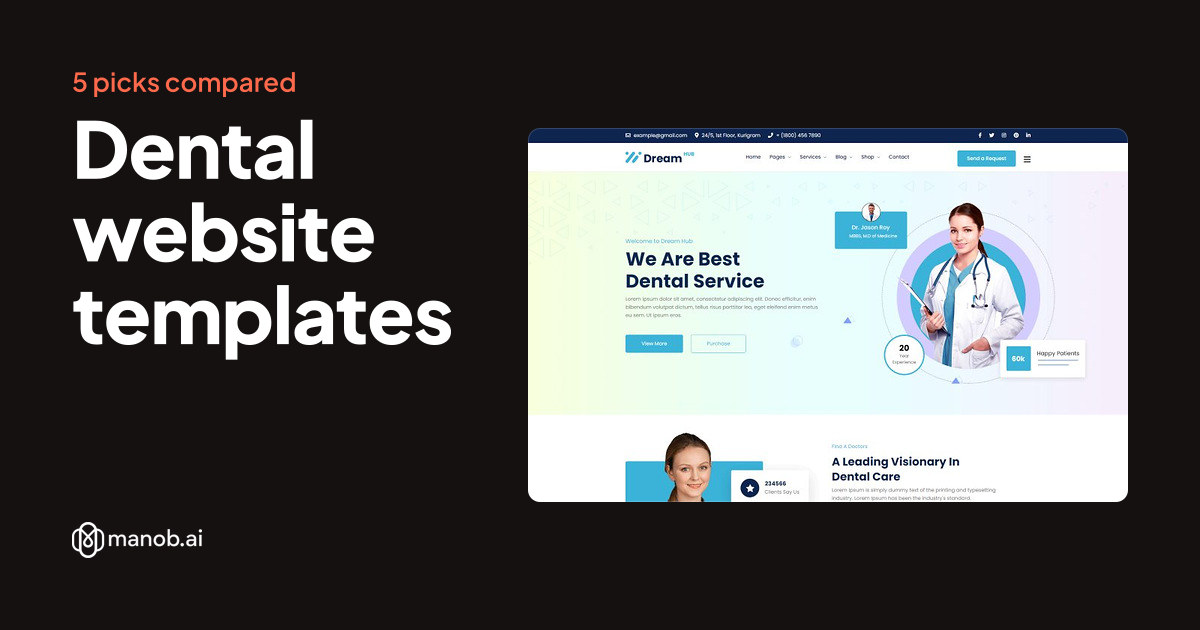
A dental website template gives a practice a ready home page, treatment pages, a team page and a contact form, so the design work is done before you add your own content. Manob lists five templates for dental and clinic sites. Two are named for dentists, and three are general clinic templates that suit a practice with several specialties.
A dental website template is a pre-built design for a dental practice's site. Most dental sites need the same few things: a clear list of treatments, the dentists and their qualifications, opening hours and a way for a patient to book. A template supplies the layout for those pages, so you can spend your time on accurate copy and real photos. This guide compares five clinic templates on Manob, says which practice each one suits, and lists the limits to check before you buy.
| Template | Type | Built with | Price from | Live demo |
|---|---|---|---|---|
| DreamHub Dentist & Dental Clinic HTML5 Template | HTML template | — | $27 | Demo |
| DreamHub Dentist WordPress Theme | WordPress theme | Elementor | $41 | Demo |
| Militant - Medical & Clinic Health Bootstrap HTML5 Website Template | HTML template | — | $19 | Demo |
| Mediken Medical and Hospital Bootstrap HTML5 Webasite Template | HTML template | — | $19 | Demo |
| Medizet – Medical & Clinic Elementor WordPress Theme | WordPress theme | Elementor | $39 | Demo |
Can a dental website template take online bookings?
Not on its own. A template gives you a booking button, a request form and a page for appointments. Real bookings with live availability need a scheduling tool or a booking plugin, which you connect and then link or embed on the appointment page. In the live preview, check where the booking button sits, since a patient should find it without scrolling far.
Which template suits a dentist-only practice?
The two templates named for dentists are the closest fit for a practice that treats only teeth. Their names point to dental clinics, so start there. Open both previews and check that the treatment list, the team page and the contact section match what your practice offers. If your practice also offers general medicine, the clinic templates below are a better fit.
Dentist-named templates
DreamHub Dentist and Dental Clinic HTML5 Template: best for a static site
This template is built in HTML5, so it runs without a database or a content management system. That suits a small practice that changes its content rarely and has someone comfortable editing files or using a simple editor. The trade-off is that each update takes more effort than a dashboard would. If you want to edit pages yourself every week, the WordPress version below is easier to live with.
DreamHub Dentist WordPress Theme: best if you update the site yourself
The WordPress version fits a practice that wants to add news posts, new team members or seasonal offers through a dashboard. WordPress gives you a familiar editor and many plugins for booking and forms. The cost is upkeep. Keep WordPress, the theme and every plugin updated, and remember that each plugin is one more thing to maintain. Check the preview on a phone before you commit, because patients often search from one.
General clinic and medical templates
These three are built for clinics in general rather than dentistry alone. Use them if your practice is a multi-specialty clinic, or if you want a broader page set and are prepared to remove the sections you do not need.
Militant Medical and Clinic Health Bootstrap HTML5 Website Template
Built with Bootstrap and HTML5, this template suits a clinic that wants a static site and a common framework. A developer you hire will likely recognize Bootstrap, which makes changes easier to hand over. Edit the copy in the HTML files, and keep your own images at the sizes the template expects. Our guide to editing a Bootstrap template walks through the basic steps.
Mediken Medical and Hospital Bootstrap HTML5 Website Template: best for a larger practice
The name points to hospitals as well as clinics, so this one suits a practice with several doctors or departments. It is also a Bootstrap HTML5 template, so the same editing approach applies. If your practice is one dentist and a receptionist, a leaner template will be quicker to edit than this one.
Medizet Medical and Clinic Elementor WordPress Theme: best if you already use Elementor
This is a WordPress theme built for Elementor, a drag-and-drop page builder. If you already use Elementor, or your web agency does, you get visual editing without code. Elementor is one more layer to maintain, so test the site after each update.
HTML or WordPress: which should a dental practice choose?
Choose HTML when the site changes rarely and you want few moving parts. Choose WordPress when you or your staff publish updates often and want a dashboard, user roles and plugins. Patients see much the same kind of page either way. The choice mostly decides who maintains the site and what it costs to change. For a fuller comparison of static and dynamic sites, read our HTML5 templates guide.
What to check before you buy
- Treatment pages. Count the service pages. You need one for each treatment you want to name, and a template with three service pages will need more work than one with ten.
- Team pages with credentials. Patients look for qualifications. Confirm the template has room for training, memberships and registration numbers.
- A booking call to action. The request or booking button should appear on every page, not only the contact page.
- Opening hours and emergency contact. Put these in the header or footer, where a patient can see them at once.
- Privacy and consent pages. A template may include a page for privacy text, but it does not write your policy or handle the patient data rules that apply in your country. Plan for that with a qualified adviser.
When a template is the wrong choice
A template is a design and a set of pages. It does not give you patient records, dental charting, insurance claims or secure messaging with patients. If you need those, buy practice management software and connect it to your site. A template also works poorly if your brand needs an unusual layout, because you will spend more time fighting the design than writing content. In that case a custom build costs more but fits better. Our guide to hiring a WordPress developer covers how to brief one.
If none of these fits, browse every site template on Manob. You can open each live preview before you buy, and every product is manually reviewed before approval.
Regular vs Extended License
The Regular License covers a single end product where end users aren't charged, which is what a practice's own website is. The Extended License applies when end users are charged, for example through a payment form on the site. Neither license lets you redistribute the source files as they are. If you build sites for other dentists, each site is its own end product, so check the terms for each one. Purchases include 6 months of free seller support through Manob's ticket system, which you can extend. Read the full terms in our Regular vs Extended License guide.
Frequently asked questions
What is a dental website template?
A dental website template is a pre-built site design for a dental practice. It includes pages for treatments, the team, opening hours and contact, along with the layout and styling. You replace the placeholder text and photos with your own, and the design stays the same. It is faster to start from than a blank page, but the site still needs accurate, specific content to work.
Is an HTML dental template or a WordPress one better?
Neither is better in general. HTML suits a site that changes rarely and does not need a dashboard. WordPress suits a practice that updates news, offers or team pages often and wants staff to edit without code. Choose the one your practice can maintain, because an out-of-date site costs more over time than the template did at the start.
Can a dental template take online appointments?
It can show a booking button and a request form, but live appointment booking needs a scheduling tool. Connect a booking service or plugin, then place its embed on the appointment page. Test the form yourself before launch, and make sure the confirmation email reaches your inbox rather than a spam folder.
Do I need a license to use a dental template for my clinic?
Your clinic's own website usually falls under the Regular License, which covers one end product where end users are not charged. Read the license terms before you buy. Check the Extended License if your site charges visitors directly, for example through a payment form. Each site you build for another practice needs its own license.
Can a dental agency use one template for several client sites?
Not on one license. Each client's site is its own end product, so you need a license for each one. You may not redistribute the source files as they are, which also means you cannot resell the template itself. Keep records of which license covers which client site, and check the terms for any site that takes payments.
Do dental templates include patient privacy pages?
A template may include a page layout for privacy text, but it does not write that text for you. Your privacy policy and any patient data rules depend on your country and on how your practice collects data. Ask a qualified adviser to write or review those pages before you publish the site.