
Premium WordPress Plugins: 27 Picks, From Sliders to Site Setup
By Manob Editorial · · Updated
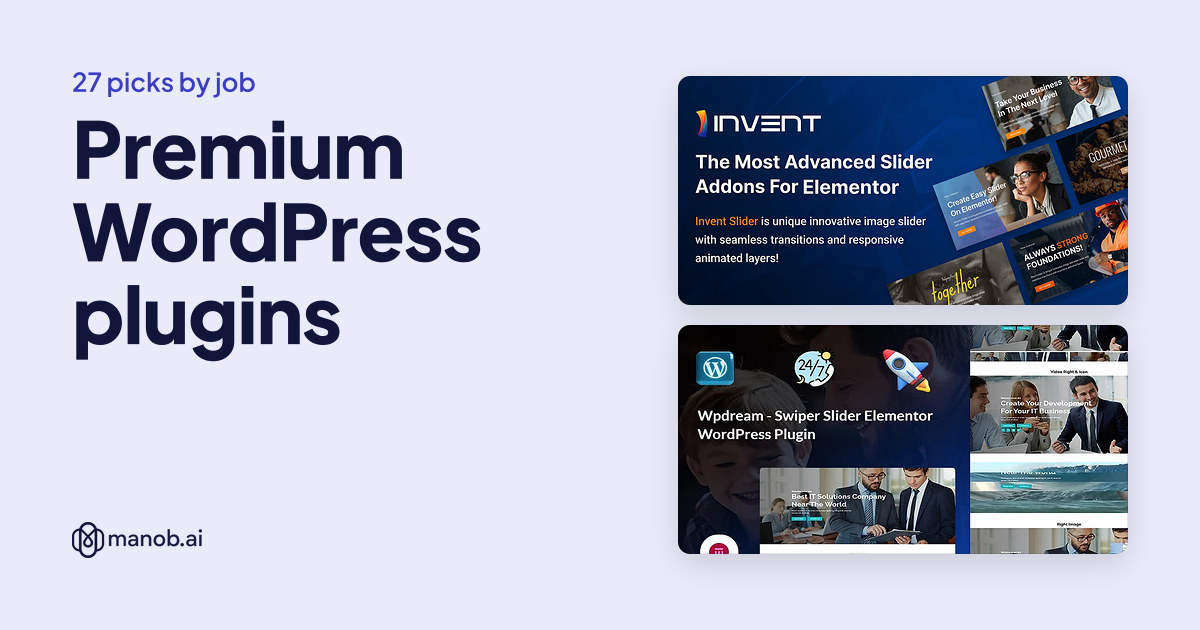
The right premium WordPress plugin depends on one job: a slider, a stronger call to action, a faster site setup, event tickets or WooCommerce order handling. We compared 27 plugins on Manob. The original 12 are grouped by job, so you can pick the one that does the task you have, and 15 Elementor add-ons were added later.
How do you choose a WordPress plugin?
A plugin adds one feature to a site you already have. That is different from a theme, which sets the whole design. A few checks save trouble before you buy:
- What does it need to run? Most plugins here are Elementor add-ons, so Elementor must be installed and active. Others need WooCommerce or a recent PHP version. We note it for each pick.
- Does it work with your theme? The Elementor add-ons here work with any theme that supports Elementor, so you can keep your current design.
- Is it translation ready? If you run a site in more than one language, look for Loco Translator or Polylang support.
- Is there a live demo? Open it and test the plugin before you install it on a live site. See how to preview a template before buying.
Keep the number of plugins small. Every plugin is code that runs on your site, so install only the ones that do a job you need. If you have not chosen a theme yet, start with our Elementor WordPress themes or the premium WordPress themes roundup.
Premium WordPress plugins compared
The table lists the original 12 with their prices. The sections below group them by job and say who each one is for. We did not find SEO-only plugins among the candidates, so SEO shows up only as part of the site setup tool.
| Template | Type | Built with | Price from | Live demo |
|---|---|---|---|---|
| Invent Slider for Elementor | WordPress theme | Elementor | $16 | Demo |
| Wpdream - Advance Slider Elementor WordPress Plugin | WordPress theme | Elementor | $11 | Demo |
| Themex - Image Carousel & Grid Style Responsive Elementor WordPress Plugin | WordPress theme | Elementor | $13 | Demo |
| Themex Button For Elementor WordPress Plugin | WordPress theme | Elementor | $12 | Demo |
| Themex Call To Action For Elementor WordPress Plugin | WordPress theme | Elementor | $13 | Demo |
| Themex Pricing For Elementor WordPress Plugin | WordPress theme | Elementor | $13 | Demo |
| Themex Service For Elementor WordPress Plugin | WordPress theme | Elementor | $13 | Demo |
| Wpdream - Animate Heading For Elementor WordPress Plugin | WordPress theme | Elementor | $11 | Demo |
| WP Setup Wizard | WordPress theme | — | $43 | Demo |
| EventClick | WordPress theme | — | $49 | Demo |
| Multi-Order Tracker | WordPress theme | WooCommerce | $25 | Demo |
| Review Reply AI | Template | — | $10 | Demo |
Sliders and image layouts
Invent Slider for Elementor: best for ready-made sliders you import
Invent Slider adds slider widgets to the Elementor editor. It has a library of pre-made sliders you can browse and import from inside the editor, allows unlimited slides in one slider, and offers several pagination styles plus style controls for fonts, colors, borders, backgrounds and gradients. It needs PHP 7.2 or higher and Elementor 3.5 or higher. The images used in the demo are not included, so add your own.

Invent Slider is an Elementor addon that adds slider widgets to WordPress pages. It offers a library of pre-made sliders, several pagination styles and style controls for fonts,…
Wpdream Advance Slider: best for image, video and content sliders
Wpdream Advance Slider adds Elementor widgets for sliders that carry images, videos and text. It runs on the Swiper slider engine, is responsive, and is compatible with Loco Translator and Polylang. Because the sliders are Elementor widgets, you change slide content, spacing and order in the editor. Elementor is required. Lifetime updates and documentation are included.

Wpdream is an Elementor plugin that adds Swiper-based sliders for images, videos and content. It suits site owners who want a dynamic slider that is easy to build and keeps work…
Themex Image Carousel and Grid: best for galleries and showcase sections
This plugin gives you 10+ carousel and grid styles for images, which you can drop onto existing pages without rebuilding them. Each style can be customized, and the listing includes unlimited plugin updates. It needs Elementor installed and active, and it works with any theme that supports Elementor. Check each style in the live demo first.

Themex Image Carousel & Grid Style is an Elementor plugin for building image carousels and grids. It offers 10+ styles and works with any WordPress theme, for galleries and show…
Calls to action, buttons and pricing
These three Themex add-ons share the same traits: they work on any WordPress theme with Elementor, are responsive, support unlimited colors and are translation ready. Pick the one that matches the element you want to improve.
Themex Button: best for more button styles than Elementor offers
Themex Button adds 9 button styles to Elementor, with unlimited colors for each. It suits designers who like their current theme but want more varied buttons. A live demo is available.

A WordPress plugin that adds button styles to Elementor pages on any WordPress theme. It includes 9 button styles, with responsive design, translation readiness and unlimited co…
Themex Call To Action: best for marketing pages with several prompts
Themex Call To Action offers 18 styles for the blocks that ask visitors to act. With that many styles you can vary the prompt across a long landing page instead of repeating one block. It is responsive and translation ready.

Themex Call To Action For Elementor is a plugin that adds call to action styles to Elementor pages on any WordPress theme. It includes 18 styles and is translation ready.
Themex Pricing: best for presenting plans and packages
Themex Pricing adds six or more pricing styles, and every element is customizable. It fits service companies that sell plans or packages. Like the others in the family, it sits in the Elementor editor next to your other widgets.

Themex Pricing For Elementor is a plugin that adds pricing styles to Elementor pages on any WordPress theme. It includes six or more pricing styles and is translation ready.
Page sections and headings
Themex Service: best for consultants and agencies
Themex Service gives you 13 service styles for Elementor, each responsive, with settings inside the Elementor editor. It works on any WordPress theme and is translation ready. If a service list is the heart of your site, this is the section to upgrade first. For a full design from scratch, see our Elementor template kits.

A WordPress plugin that adds service styles to Elementor pages on any WordPress theme. It includes 13 service styles, with responsive design and translation readiness for servic…
Wpdream Animate Heading: best for landing pages and blog titles
Wpdream Animate Heading adds several animation effects to any Elementor heading. Settings live inside the Elementor editor, so no separate tool is needed. It suits a landing page that needs a strong first line. Loco and Polylang translator support and lifetime updates are included.

Wpdream Animate Heading is an Elementor plugin that adds animation effects to headings. It suits landing pages that need a strong opening line and blogs that want more visual en…
Site setup, security and SEO basics
WP Setup Wizard: best for agencies and anyone who launches sites often
WP Setup Wizard replaces the routine of clearing sample content and changing dozens of settings with one guided Quick Setup run. It covers site title, permalinks, removal of default posts, pages and comments, creation of pages such as About Us, Contact Us and Privacy Policy, login attempt limits, reCAPTCHA, GDPR and cookie consent tools, SEO metadata and robots.txt settings, and theme and plugin installs. The cleanup step deletes default content, so run it on a new site, not a live one.

WP Setup Wizard is a WordPress plugin that prepares a new site in one guided pass. It covers site settings, default content cleanup, page creation, security, GDPR notices, SEO a…
Events, orders and reviews
EventClick: best for selling tickets to events
EventClick handles event schedules, organizer and speaker profiles, ticket sales through Stripe and PayPal, event reviews, a user dashboard and Google Maps for locations. The admin dashboard reports total events, revenue, tickets sold and attendee feedback. Platform commission can be set as a fixed amount or a percentage. It needs WordPress 5.0 or later, PHP 7.4 or later, and a Google Maps API key.

EventClick is a WordPress plugin for managing events, organizers and speakers, with ticket sales through Stripe and PayPal, attendee dashboards and event feedback.
Multi-Order Tracker: best for WooCommerce stores with repeat buyers
Multi-Order Tracker flags customers who have placed more than one order. A button in the WooCommerce orders list opens a window with every order number and status for that customer. It is an admin tool for store staff, not a customer-facing page, and shipment tracking is not part of the description.

Multi-Order Tracker is a WooCommerce plugin for store administrators. It flags repeat customers in the orders list and opens a window with each customer's order numbers and stat…
Review Reply AI: best for shops that answer many reviews
Review Reply AI drafts replies to customer reviews in a natural tone. You set a brand voice, then approve or edit each draft with one click. It works alongside WooCommerce and other review plugins. Since you keep the final word, read each draft before it goes live.

Review Reply AI is a WordPress plugin that writes natural, human-toned replies to customer feedback, including WooCommerce stores. You can set your brand voice, edit each draft…
How do you install and license a plugin?
You upload the plugin zip from the Plugins screen in your WordPress admin and activate it. The steps match a theme install, which we cover in how to install a WordPress theme manually. WordPress also documents plugin management at WordPress.org. After activation, customize it the way you would a theme; our guide to customizing a WordPress theme helps. Every product on Manob has Regular and Extended licenses. Read Regular vs Extended License if you build sites for clients. You can browse more in the plugins listing.
New picks added in October 2026
Fifteen more Elementor add-ons joined the list in two batches, each read from its Manob listing. All of them need Elementor installed. These notes come from each listing, so open the live demo before you buy.
Wpdream Advance Slick Slider: best for galleries and featured content
This Elementor slider offers multiple layout styles, animation effects and navigation controls, and the listing says lifetime updates are included. It suits designers building galleries and featured content sections.

Wpdream is an Elementor plugin with a slick slider for images, videos and other media. It offers multiple layout styles, animation effects and navigation controls for beginners…
Wpdream Advance Vertical Timeline: best for company history or milestones
The timeline plugin has several layout options, animation and styling choices, carousel support for items, 500+ Google fonts and FontAwesome and icofont icons. It suits personal blogs, corporate sites and portfolios that tell a story over time.

A vertical timeline plugin for Elementor on WordPress. It presents events, milestones and dated information for personal blogs, corporate sites and portfolios.
Wpdream Accordion / FAQ: best for pages with many questions
This plugin hides answers until a visitor opens them. The listing shows styling options for each section, responsive visibility settings, Loco Translator and Polylang support and detailed documentation. It suits service businesses and information-heavy sites.

A WordPress plugin that adds collapsible accordion and FAQ sections to Elementor. Readers open only what they need, so long pages stay tidy.
Wpdream Button: best for calls to action
Wpdream Button covers customizable call-to-action buttons with page link and pop-up actions, brand-matched colors and sizes and Loco and Polylang support. It suits sales pages, landing pages and business sites.

Wpdream Button is an Elementor plugin for customizable call-to-action buttons that can link to pages, open pop-ups or connect to third-party services. It suits businesses that n…
Wpdream Circle Progress: best for showing skills or results
This plugin adds circular progress bars with adjustable colors and sizes and responsive indicators. It suits portfolio sites and company profiles that present skills or results as numbers.

Wpdream Circle Progress is an Elementor plugin for circular progress bars that show skills, achievements or statistics. It suits about and service pages where a figure needs vis…
Wpdream Counter: best for figures on about and service pages
The counter plugin adds animated number counters for statistics and milestone blocks, with responsive layouts and Loco and Polylang support. It suits agencies and business sites that want to present figures clearly.

Wpdream Counter is an Elementor plugin that adds animated counters for statistics, milestones and other figures. It suits businesses and agencies that want their numbers to stan…
Webexpert Team: best for showing staff profiles
Webexpert Team for Elementor offers team member profile layouts and customizable presentation layouts, and the listing says it is optimized for fast loading and needs no coding. It suits agencies, professional service firms and small businesses.

Webexpert Team for Elementor is a WordPress plugin for showing staff and team members on Elementor pages. It suits companies that want to present their people with customizable…
Webexpert Marquee Text: best for announcements and promotions
Marquee Text adds scrolling text to Elementor pages, with speed and direction controls, color and styling options and responsive display. The listing also names lifetime updates and detailed documentation. It suits announcement bars and promotions.

Webexpert Marquee Text is a WordPress plugin for Elementor that adds scrolling text to your pages. It suits site owners who want to show announcements, promotions or important m…
Seven more Wpdream add-ons were added after that batch. Like the others, each one needs Elementor installed and active.
Wpdream Image Comparison: best for before-and-after results
This plugin shows two images in a before-and-after slider inside Elementor pages, with adjustable slider settings, responsive display and Loco Translator and Polylang support. The listing says it is optimized for fast loading and names photographers, real estate agents, renovation firms and product businesses as users. Use image pairs of the same size and framing so the comparison lines up. It is the only before-and-after tool among these picks.

Wpdream Image Comparison is an Elementor plugin for before and after image sliders. It suits photographers, real estate agents and anyone showing a transformation, and it is opt…
Wpdream Feature Icon and Image Box: best for service and feature blocks
Feature Icon and Image Box builds feature sections with icons or images, styled from visual controls inside Elementor. The listing adds color options for each block, responsive visibility settings, slider and layout options, pre-built layouts for a range of niches, and Loco and Polylang support, with lifetime updates. It suits small business sites and agencies building client sites. It overlaps with Themex Service above, so you rarely need both.

Wpdream Feature Icon and Image Box is an Elementor plugin for WordPress that builds feature sections with icons and images. It suits business owners, agencies and developers who…
Wpdream Advance Image Grid and Carousel: best for portfolios and product galleries
This add-on builds image grids and carousels, with spacing and animation settings, control over which items show, and several design templates. The listing names Loco Translator and Polylang support, Font Awesome and icofont icons and detailed documentation. It covers the same job as Themex Image Carousel and Grid above, so compare the two demos and pick the styles you prefer. Compress your images first so the grids load quickly.

Wpdream Advance Image Grid and Carousel is an Elementor plugin for image grids and carousels. It suits portfolios, product displays and blogs, with spacing, animation and item v…
Wpdream List: best for scannable lists of services or products
Wpdream List presents products, services or blog posts as styled lists inside Elementor layouts. The listing names pre-designed list templates, advanced styling options, responsive lists and Loco and Polylang support, with documentation and future updates at no extra cost. It suits service providers and product catalogues. Long lists read better with simple styling, so start with the plainest template.

Wpdream List is an Elementor plugin for showing products, services or blog posts as styled lists. It offers pre-designed templates and advanced styling options, and the lists st…
Wpdream Magic Button: best for animated calls to action
Magic Button adds interactive buttons with animation effects and hover states, styled to match your brand and responsive on every device. The listing names Loco Translator and Polylang support and detailed documentation. It suits landing and marketing pages built around one next step. If you want a button that opens a pop-up, Wpdream Button above lists that; Magic Button's listing is about motion and hover styling.

Wpdream Magic Button is an Elementor plugin for interactive buttons with hover states and animation effects. It suits sites that want clearer calls to action and buttons that ma…
Wpdream Apps Button: best for app-style navigation buttons
Apps Button adds app-style navigation buttons that can sit in any Elementor section, with brand-matched design controls and responsive layouts. The listing says the output is quick-loading, names Loco and Polylang support and includes lifetime updates and documentation. It suits online shops, blogs and portfolios that want navigation with an app-like feel. The listing describes them as navigation buttons, so if you need app-store download badges, check the live demo first.

Wpdream Apps Button is an Elementor plugin for app-style navigation buttons that match a site's look. It suits e-commerce stores, blogs and portfolios that want quick, responsiv…
Wpdream Heading: best for branded headings across a site
Wpdream Heading adds heading blocks with adjustable design options, color customization for text and accents, responsive visibility settings per device and drag-and-drop editing in Elementor. Loco Translator and Polylang support and detailed documentation are included. It suits site owners and agencies that want consistent, branded titles. Its listing names no animation effects, so pick Wpdream Animate Heading above if you want moving text.

A WordPress plugin for Elementor that adds customizable heading blocks. It helps site owners and agencies give titles a distinct look and a clear hierarchy on each page.
When to look elsewhere
- Tiny budget. The WordPress.org plugin directory has free plugins for most jobs. They are a good starting point if you do not need Elementor-specific widgets.
- You need a dedicated SEO or security suite. We found no SEO-only plugin among these candidates, and WP Setup Wizard covers setup basics only. Look at a full SEO plugin for ongoing work.
- You want a whole design, not one feature. Choose a theme or a kit instead. See Elementor WordPress themes.
- You need custom behavior. If no plugin matches your workflow, hire a developer to build one.
Frequently asked questions
Do these plugins need Elementor?
Most do. The sliders, Themex add-ons and Wpdream widgets run inside Elementor, which must be installed and active. WP Setup Wizard, EventClick, Multi-Order Tracker and Review Reply AI do not name Elementor as a requirement.
Will these plugins work with my theme?
The Elementor add-ons are listed as working with any WordPress theme that supports Elementor. Check the live demo and test on a staging copy first.
Is there a plugin for event tickets?
Yes. EventClick sells tickets through Stripe and PayPal and includes organizer and speaker profiles.
Which plugin helps a WooCommerce store?
Multi-Order Tracker shows every order from a repeat customer in one window. Review Reply AI drafts replies to customer reviews and works alongside WooCommerce.
Can I try a plugin before buying?
Yes. You can preview every item on Manob before you buy, and every product is manually reviewed before it goes live.