
Six IT Solutions Website Templates, Compared
By Manob Editorial ·
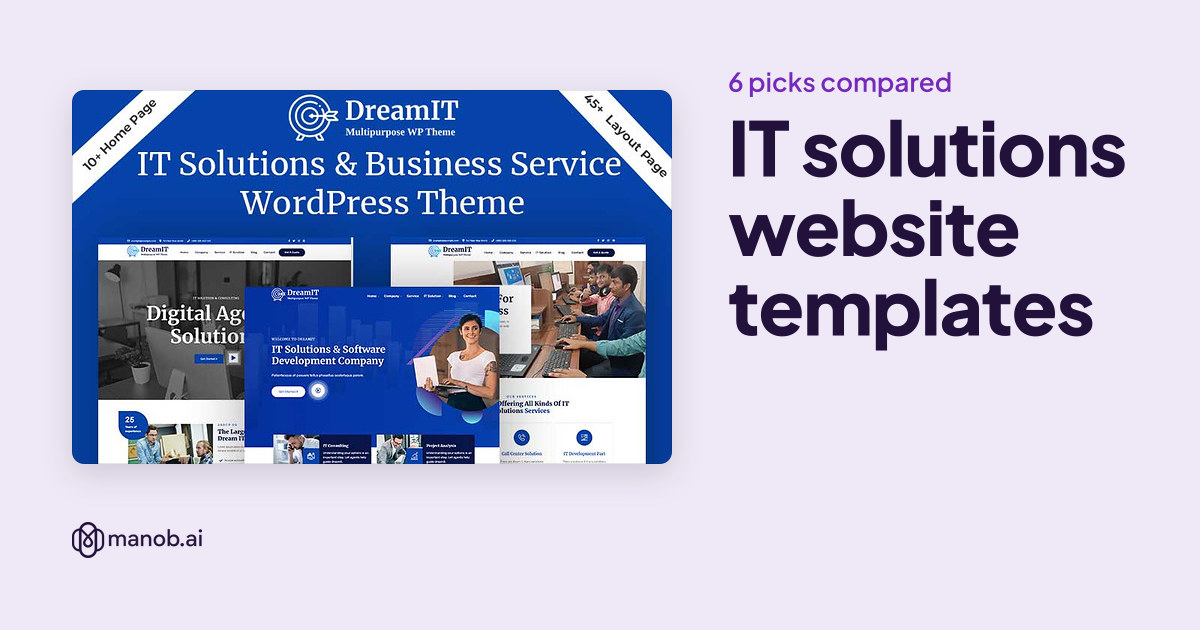
An IT solutions website template should explain your services in plain terms, show how a client starts a project and make support easy to find. We compared six IT solutions templates on Manob: four WordPress themes and two HTML5 templates. Choose WordPress if your team will publish often, and HTML5 if the site is a fixed brochure with few changes.
An IT solutions website template is a ready-made site for a firm that sells managed IT, software support, infrastructure or technology consulting. This guide compares six picks on Manob. Each one carries a name that points to IT solutions or IT services, so use the list as a shortlist to preview before you buy.
What should an IT solutions website show?
An IT solutions site needs a services page that names each kind of work you do, a page for the client's first step and a way to reach support. Your visitor is often a business owner or office manager who is comparing providers, so the template should explain the service before it shows the logo. Check the demo for service detail pages and a clear contact form, not only a homepage with slides.
How did we pick these six?
Manob has many IT products, and a large share are aimed at a niche such as crypto, AI, solar or cybersecurity. We left those niches out and kept templates named for general IT solutions, IT services or a technology business. Every product on Manob is manually reviewed before approval, and every item can be previewed before purchase. Prices come from each seller's inventory and appear in the table below.
| Template | Type | Built with | Price from | Live demo |
|---|---|---|---|---|
| IT Company and Business Consulting WordPress Theme | WordPress theme | — | $49 | Demo |
| DreamIT - IT Solutions & Software Company WordPress Theme. | WordPress theme | — | $39 | Demo |
| Techpros - IT Services & Software Company Elementor WordPress Theme. | WordPress theme | Elementor | $39 | Demo |
| ITpro – IT Solution & Service Company HTML5 Template | HTML template | — | $25 | Demo |
| BigFox IT Solution Business Service HTML5 Template | HTML template | — | $21 | Demo |
| Teknologi – Technology & IT Solutions WordPress Theme | WordPress theme | Elementor | $41 | Demo |
Do IT solutions sites need WordPress?
Not always. WordPress is the better choice when staff will add case studies, news posts and new service pages without a developer. Four of the six picks here are WordPress themes, and two are HTML5 templates. An HTML5 template suits a small firm with a fixed site and a developer on call. It has no editor, so every text change goes through someone who can edit the code.
Which picks suit a managed IT services firm?
Three picks are named for IT services or IT solutions companies. The IT Company and Business Consulting WordPress theme, the TechPros IT Services and Software Company Elementor theme and the ITpro IT Solution and Service Company HTML5 template all match a firm that sells support and managed services. Compare their service pages first, since a managed services business needs more of them than a one-off project shop. For a firm that also sells advice, our IT company WordPress themes roundup covers more Elementor options.
Which picks suit a broader technology business?
Teknologi, DreamIT and BigFox are named for technology and IT solutions in general. They fit a firm that sells several kinds of work, such as software, hardware and consulting, from one site. A broad template is useful when your services are still changing. If you only sell one service, a narrower template keeps the menu short and the pages focused.
Which license does an IT firm need?
A Regular License covers a single end product where end users aren't charged. Your own company site is one end product, so the Regular License fits. If you build a site for a client who charges its own customers, that client site needs an Extended License. Under either license, you can't redistribute the source files as they are. Each product shows both a Regular and an Extended price in the table.
How should I compare the demos?
- Service pages for each offer. Support, managed services and project work should each have a page, so a buyer can see what you do without calling first.
- A clear first step. A "request a quote" or "book a call" button should be visible above the fold.
- Proof of work. A case study layout with room for the problem, the fix and the result helps buyers judge technical work.
- Team and credentials. Team pages let you list certifications and roles, which matter to buyers who want a named engineer.
- Room for policies. Make sure the footer or a legal page has space for your terms, privacy notice and service agreement.
When should I pick something else?
A template won't run your help desk, your ticket queue or your status page. Those need software you connect to the site. A template also can't prove your security or compliance claims, so write those from your own audits and certifications. If you sell a software product rather than services, a SaaS template may match better. For a complex or regulated business, a custom build from a developer is often the right call.
Browse the full set of site templates on Manob if none of these six fits. For a firm that mainly sells advice, compare consulting WordPress themes, and for a company with a product to sell, see SaaS website templates.
Frequently asked questions
What is the best website template for an IT solutions company?
The best template is the one whose demo already has your service pages, case study layout and contact path. For a managed services firm, start with the IT services picks. For a broader technology business, the general IT solutions templates give you more room to add offers. Open each preview on Manob before you choose.
Is there an IT template that fits a small support company?
A small support company usually needs a services page, a short team page and a contact form. Look for a template whose demo covers those pages without extra sections. Remove any demo pages you don't need. If you also run a help desk, that tool will sit outside the template.
Do I need WordPress for an IT company website?
No. WordPress helps when staff publish news, case studies and new pages often. An HTML5 template is simpler for a firm whose site changes rarely, but it needs a developer for each text change. Pick the format your team can maintain, not the one with the most demos.
Which license do I need for an IT firm's own website?
Your own company website is a single end product where end users aren't charged, so the Regular License covers it. If you build sites for clients who charge their own customers, those client sites need an Extended License. Source files can't be redistributed as they are under either license.
How long is seller support after I buy an IT template?
Every purchase includes 6 months of seller support through Manob's ticket system. You can extend it at 30% before the support expires, or at 75% after it expires. Check the product page for the current terms before you buy.
Can a template handle security and compliance pages?
It can show the pages, but it can't make the claims for you. Write any security, certification or compliance statement from your own audits and records. Keep those pages accurate, since buyers may check them before they sign.